Blog
The Best Speech to Text Recognition Software for Windows, Compared
How we ranked them
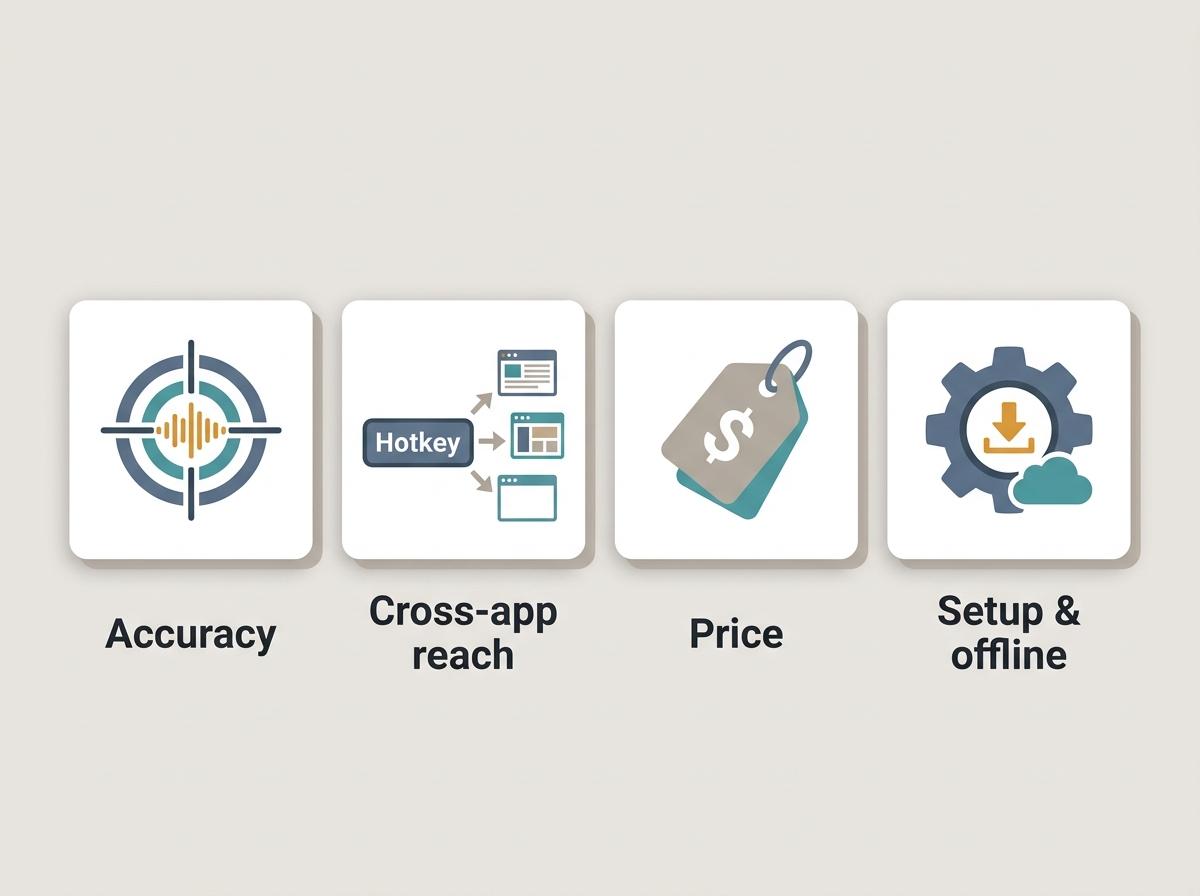
We ranked these tools the way real Windows users actually choose one: by how accurately they capture speech, how well they work across the apps you use daily, and what they cost. Accuracy came first. We weighted independent roundup testing and reported recognition rates, with Dragon by Nuance leading at 96–99% (Zapier) and Wispr Flow tested closer to 92% by Willow Voice. A note on FluidVox up front: none of the independent 2026 roundups we surveyed — PCMag, Zapier, Wirecutter, and several vendor blogs — name or test it, so its top placement here is our editorial call based on its feature set and pricing, not a benchmarked accuracy verdict. Those independent roundups reach no single consensus anyway: PCMag and Zapier favor free built-in Voice Access, Wirecutter picks Wispr Flow, and vendor-authored pages rank their own products first.
Next was reach. Does the tool type into any app through a hotkey, or is it locked to one editor or the browser? Tools that work everywhere scored higher, because dictation is only useful if it follows you into email, chat, and docs. A tool that only works inside Google Docs can be excellent and still lose points here.
Price transparency mattered too. Windows options span from free built-in software like Voice Access to Dragon's roughly $700 one-time license (PCMag), with subscription AI tools clustering at $8–$15 per month. We noted every plan we could verify and flagged where sources disagreed.
Finally we weighed setup friction, offline support, and language coverage. Dragon needs 20–30 minutes of setup plus a week or two of correction before it hits peak accuracy, while built-in and modern AI tools need almost none (Dictation Daddy). No single tool won every category, so this list is ordered for the broadest knowledge-worker use case, with clear "best for" notes so you can skip to the pick that fits. If you want a deeper breakdown, our 2026 buyer's guide covers the full field.
1. FluidVox — best all-around AI dictation
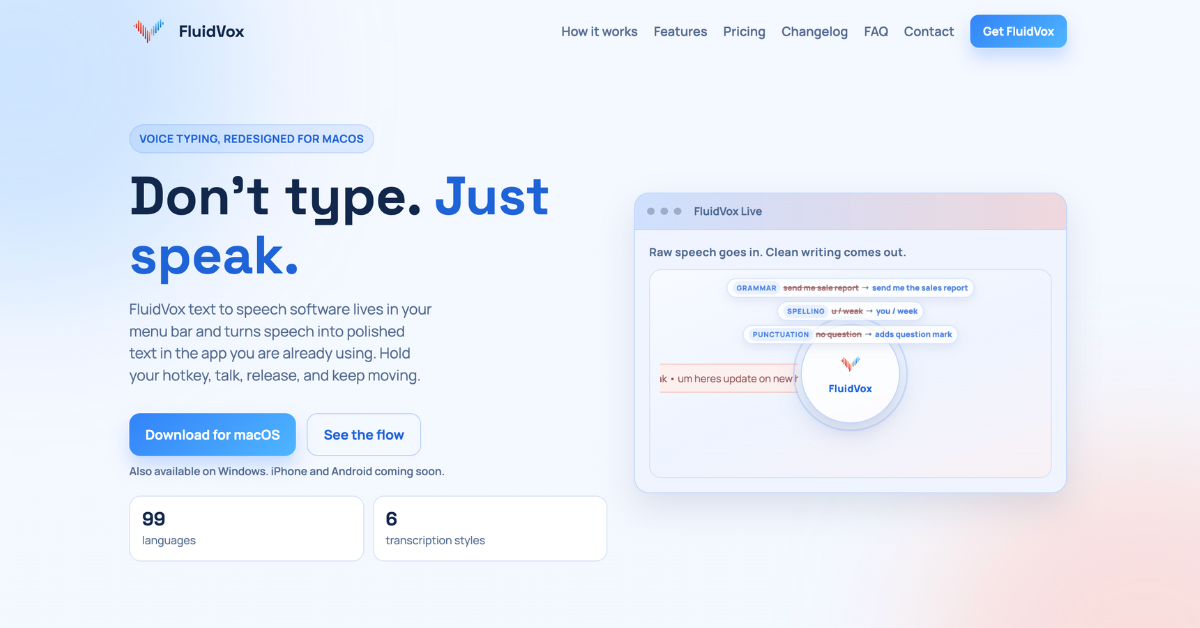 Source: https://www.fluidvox.com/ · captured 2026-07-06
FluidVox is our pick for all-around Windows dictation for knowledge workers who want AI-cleaned text typed straight into any app. This is an editorial placement based on its feature set, not a ranking from the independent roundups — the 2026 comparison guides we reviewed don't yet cover FluidVox, so treat accuracy as unverified by third-party testing. It lives in the menu bar, activates on a hotkey, and inserts polished text into whatever app you're using — email, Slack, a doc, a chat box — with no copy-paste step. That "types anywhere" behavior is the single biggest reason it tops our list for daily writing.
Best for: Writers and knowledge workers who dictate across email, chat, docs, and notes and want punctuation, grammar, and filler-word cleanup handled automatically.
What separates FluidVox from raw transcription is the cleanup layer. Per its own product listing, FluidVox uses large language models to fix spelling, grammar, and punctuation and to strip filler words like "uh" and "um" in real time, so what lands in the app reads like edited writing rather than a raw transcript. If you want the technical version, FluidVox explains how AI dictation works in plain terms.
Coverage is broad according to the vendor: FluidVox supports 99 languages, custom dictionaries, and six transcription styles, plus both cloud and local (offline) transcription models for people who need speech processed on-device. It runs on macOS, Windows, and iPhone, so your setup follows you across devices. FluidVox lists pricing starting around $2.99/month, undercutting most AI dictation subscriptions, and a trial is available. Because no independent outlet has published accuracy figures for it, we'd suggest running the trial and judging it against your own dictation before committing.
✅ Types dictated speech directly into any active Windows app via hotkey — no copy-paste (vendor feature) ✅ LLM cleanup removes filler words and fixes grammar and punctuation as you speak (vendor feature) ✅ 99 languages, custom dictionaries, and six transcription styles (vendor-listed) ✅ Offline local model for privacy-sensitive work, plus a cloud model for speed (vendor feature)
❌ Not covered or tested by the independent 2026 roundups, so accuracy is vendor-claimed only ❌ Android support is still on the roadmap, not shipped ❌ AI cleanup means a live internet connection gets the best results in cloud mode
If you're replacing Windows' built-in dictation, FluidVox is positioned as a Win+H replacement, and it also serves as a Wispr Flow alternative for people who want lower pricing and an offline option.
2. Windows Voice Access — best free built-in option
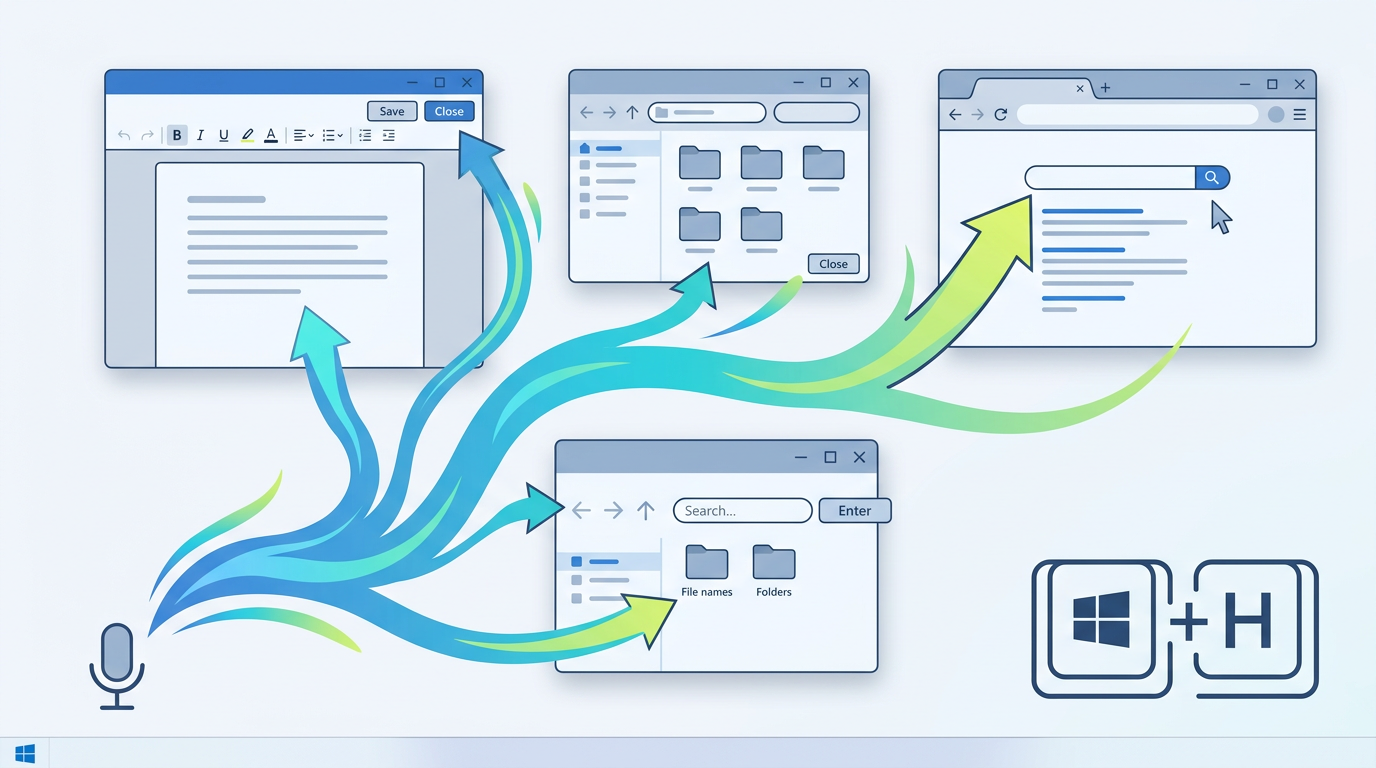
Windows Voice Access is the best free speech to text recognition software for Windows 11, built directly into the operating system with full system control. Independent outlets back this: PCMag names Voice Access the best speech-to-text tool for Windows, and Zapier calls it the best free dictation software on the platform. You activate it with the Windows logo key plus H.
Best for: Windows 11 users who want capable, no-cost dictation and hands-free PC control without installing anything.
Voice Access is free and lives under Settings > Accessibility > Speech on Windows 11 22H2 or later (PCMag). It does more than dictate — you can navigate menus, click buttons, and control the whole PC by voice, which makes it a genuine accessibility tool rather than a simple notepad. Once the language model downloads, it works offline.
Accuracy is solid for everyday writing but trails paid AI tools on technical vocabulary and specialized jargon, and it lacks the LLM cleanup that removes filler words automatically.
✅ Completely free and built into Windows 11 — nothing to install ✅ Full hands-free PC control, not just dictation ✅ Works offline after the language model downloads ✅ System-wide, so it types across native Windows apps
❌ Weaker on technical terms and custom vocabulary than Dragon ❌ No AI grammar or filler-word cleanup ❌ Requires Windows 11 22H2 or later — older PCs miss out
If you've outgrown Win+H, FluidVox pitches itself as a step up in our Windows voice typing alternative breakdown.
3. Dragon by Nuance — highest tested accuracy

Dragon by Nuance is the accuracy champion of Windows speech to text recognition software, posting 96–99% tested recognition for professionals who dictate all day. Zapier reports 96–99% accuracy that improves with use, and Dictation Daddy measures 95–97% after months of training (Dictation Daddy). Either way, it's the top of the field for raw precision.
Best for: Legal, medical, and enterprise professionals who need the highest accuracy and deep custom vocabulary.
Dragon is Windows-only — native Mac support ended in 2018. Pricing is the catch: sources cite roughly $700 for a one-time Dragon Professional Individual license, while Dragon Professional Anywhere runs as a subscription (about $55/month) aimed at enterprise deployments (Voicy). It supports deep custom vocabularies, voice macros, and command control, which is why doctors and lawyers with specialized terminology keep choosing it.
The trade-offs are real. Dragon needs 20–30 minutes of setup and one to two weeks of correction before it reaches peak accuracy, and the upfront cost dwarfs subscription rivals. Some reviewers now describe it as a legacy tool relative to newer AI dictation apps.
✅ Highest tested accuracy of any tool here (96–99%) ✅ Deep custom vocabulary, macros, and voice commands ✅ One-time license option avoids ongoing subscription fees ✅ Processes locally, which suits privacy-sensitive fields
❌ Around $700 upfront — the most expensive option on this list ❌ Steep learning curve and lengthy training period ❌ Windows-only, with no current Mac support
4. Wispr Flow — modern AI dictation layer
 Source: https://wisprflow.ai/ · captured 2026-07-06
Wispr Flow is a fast, AI-powered dictation tool that types into any app and competes closely on modern accuracy. Wirecutter named it its top pick for dictation software (NYT Wirecutter), though Willow Voice's own testing rated its accuracy closer to 92% — a reminder that scores vary by methodology.
Best for: Users who want a lightweight, modern AI dictation layer across their whole Windows workflow.
Like FluidVox, Wispr Flow types into the active application via hotkey and uses AI to clean up filler words and formatting automatically. It integrates with the apps people actually live in — Slack, Notion, Outlook, VS Code, Obsidian, and more — and runs on Mac, Windows, iPhone, and Android. Pricing sits at $15/user/month for Flow Pro (Zapier), with a limited free plan available.
One thing to confirm before you commit: Wispr Flow launched on macOS first, so double-check current Windows support and feature parity for your version.
✅ Types into any active Windows app via hotkey ✅ AI cleanup of filler words and formatting ✅ Wide integration list including Slack, Notion, and VS Code ✅ Cross-platform across Mac, Windows, iPhone, and Android
❌ At $15/month, pricier than FluidVox's entry tier ❌ Windows support is newer than the Mac release — verify parity ❌ Independent testing put accuracy near 92%, below Dragon
If the price gives you pause, we compare the two directly in our Wispr Flow alternative guide.
5. Google Docs Voice Typing — best free browser option
Google Docs Voice Typing is the best free browser-based speech to text recognition software for anyone drafting inside Google Docs. It's completely free with a Google account and lives under Tools > Voice typing in the Docs editor. Reported accuracy sits around 90% in comparative testing (Willow Voice).
Best for: Writers who work primarily in Google Docs and want zero-install, free dictation.
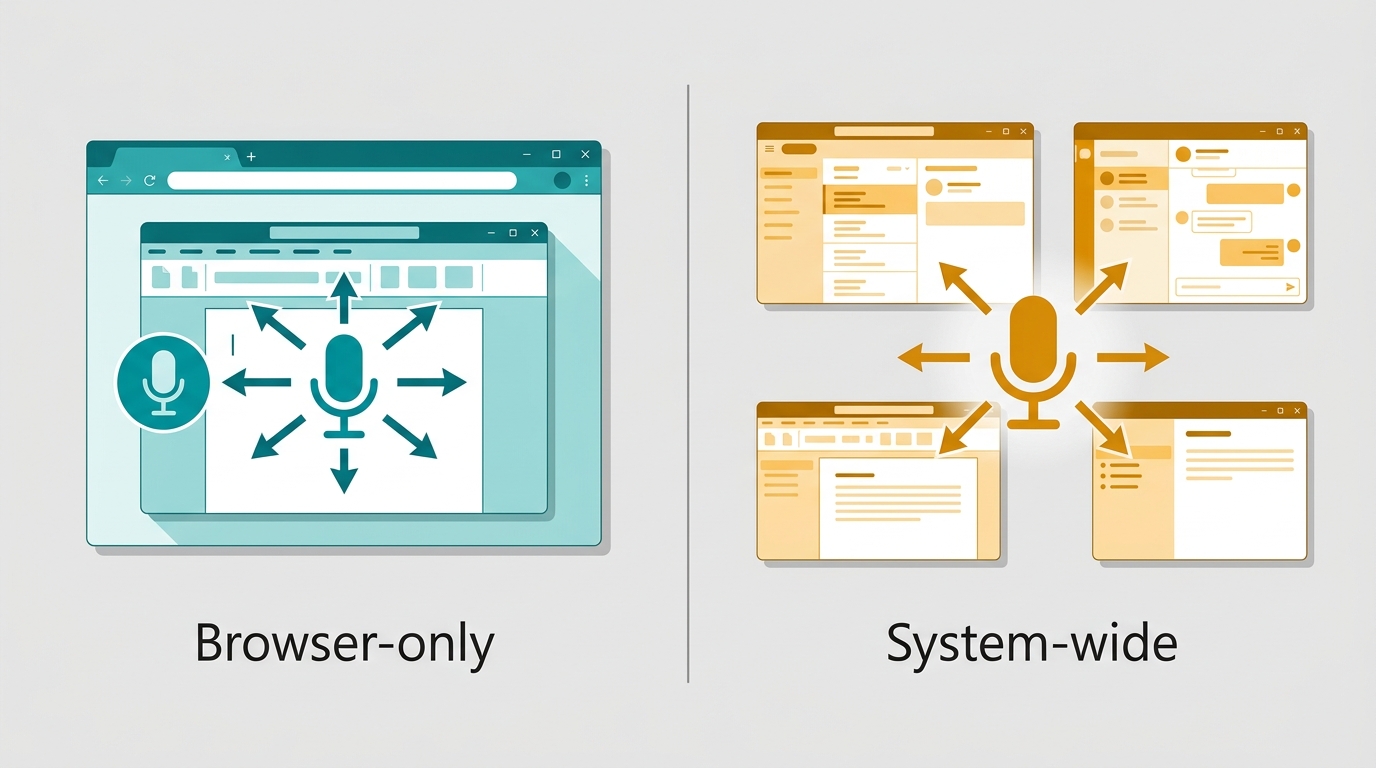
The big limitation is scope. Voice Typing only works inside the Google Docs editor in Chrome — it won't type into other Windows apps, chat boxes, or email clients. It also needs an internet connection and performs best with clear audio and a decent microphone. For drafting long-form documents in Docs, it's genuinely useful and costs nothing; for a dictation layer that follows you everywhere, it's the wrong tool.
✅ Free with any Google account ✅ No install — runs in Chrome ✅ Handles voice commands for punctuation and formatting ✅ Good enough accuracy for everyday drafting
❌ Locked to the Google Docs editor — won't type into other apps ❌ Requires an internet connection ❌ No offline mode or LLM cleanup
We cover browser-only tools versus system-wide ones in our best voice typing apps for Windows roundup.
6. Otter.ai — best for meeting transcription
 Source: https://otter.ai/ · captured 2026-07-06
Otter.ai is the best pick when transcription of meetings and conversations matters more than live dictation. Unlike Dragon, Otter isn't built to type into your active app — it's built to capture spoken conversations and turn them into searchable, summarized notes (Voicy).
Best for: Professionals who need to transcribe meetings, interviews, and lectures with speaker labels.
Otter.ai records with a bot-free desktop app on Mac and Windows, transcribes live in multiple languages with speaker recognition, and produces automatic summaries with decisions and action items. Its Otter AI Chat can search across meetings and connected apps to answer questions and draft follow-ups. Pricing runs a free Basic tier with limited monthly minutes, with Otter Pro around $16.99/month or $99.99/year (The Write Practice). It connects to Zoom, Google Meet, and Microsoft Teams.
✅ Excellent live and recorded meeting transcription ✅ Speaker identification and automatic summaries ✅ Integrates with Zoom, Google Meet, and Microsoft Teams ✅ Searchable knowledge base across all your meetings
❌ Not a live dictation tool — won't type into your apps ❌ Free tier caps monthly minutes ❌ Overkill if you only need to dictate text
7. Speechnotes — best free no-frills web tool
 Source: https://speechnotes.co/ · captured 2026-07-06
Speechnotes is a no-frills free online voice typing tool for quick, casual dictation in the browser. Founded in 2015, it runs in Chrome with no download, install, or registration, making it the fastest way to start dictating for free (Speechnotes).
Best for: Casual users who want free, instant browser dictation without an account or install.
Speechnotes offers voice typing with commands for punctuation and formatting, automatic capitalization, and local auto-save in the browser. A low-cost Premium tier (about $1.90/month) and per-minute file transcription ($0.10/min) are available if you need more (The Write Practice). A Chrome extension extends voice typing to web forms and Gmail, and there's an Android app. It's best for short, informal notes rather than professional writing workflows.
✅ Free, instant, and requires no account ✅ Works in Chrome with no install ✅ Auto-saves notes locally ✅ Cheap Premium tier and file-transcription add-on
❌ Browser-based — limited system-wide use ❌ No AI grammar or filler-word cleanup ❌ Best for casual notes, not professional documents
Comparison table
| Tool | Best for | Pricing | Key strength |
|---|---|---|---|
| FluidVox | All-around AI dictation across every app | From $2.99/mo (vendor-listed); trial available | Types AI-cleaned text into any app via hotkey (vendor feature; not independently tested) |
| Windows Voice Access | Free built-in dictation on Windows 11 | Free | System-wide, hands-free PC control |
| Dragon by Nuance | Legal, medical, enterprise pros | ~$700 one-time; ~$55/mo (Anywhere) | Highest tested accuracy (96–99%) |
| Wispr Flow | Modern AI dictation layer | $15/user/mo (Pro); free plan | Types into any app with wide integrations |
| Google Docs Voice Typing | Drafting inside Google Docs | Free | Zero-install free dictation in Docs |
| Otter.ai | Meeting and interview transcription | Free tier; Pro ~$16.99/mo | Speaker-labeled transcripts and summaries |
| Speechnotes | Casual browser dictation | Free; Premium ~$1.90/mo | Instant web voice typing, no signup |
Source figures: PCMag, Zapier, and Voicy. FluidVox pricing and features are drawn from its own product listing, not from independent roundups. Dragon pricing conflicts across sources — some list $200–$500 one-time — so verify the current edition before buying.
Final thoughts
For most knowledge workers on Windows, FluidVox is our pick because it does the thing you actually want daily dictation to do: type polished, AI-cleaned text straight into whatever app you're already in, at a vendor-listed price that starts below every subscription rival. On paper it combines the cross-app reach of Wispr Flow with an offline model and a much lower entry price — but because no independent roundup has tested it, that's an editorial recommendation, and we'd run the trial before committing. If you want independently validated accuracy or zero cost, the picks below are safer bets: Windows Voice Access is the strongest free option and it's already on your PC.
Choose by use case from there. Dragon by Nuance is worth its ~$700 if you're a doctor or lawyer who needs the highest tested accuracy and deep custom vocabulary. Wispr Flow is the Wirecutter top pick if you want an independently reviewed AI layer. Google Docs Voice Typing is fine if you live inside Docs. Otter.ai wins when you need meeting transcripts with speaker labels rather than live dictation, and Speechnotes covers quick, free, casual notes in the browser. Read a few independent tests before you commit — accuracy figures vary because reviewers use different scripts and microphones. If you want the short version, FluidVox is our all-around editorial pick and Voice Access is the best independently backed free one.
Key takeaways
- FluidVox is our editorial all-around Windows pick — AI-cleaned dictation typed into any app from a vendor-listed $2.99/mo — though no independent 2026 roundup tests it yet.
- No single tool wins universally; independent outlets split between free Voice Access (PCMag, Zapier) and Wispr Flow (Wirecutter).
- Windows Voice Access is the strongest free built-in option, activated with Win+H on Windows 11.
- Dragon by Nuance posts the highest tested accuracy (96–99%) at roughly $700 one-time.
- Prices span free to $700 one-time, with AI subscription tools clustering at $8–$15/month.
Frequently asked questions
Does Windows 11 have built-in speech to text software?
Yes. Windows 11 includes Voice Access, a free built-in tool activated with the Windows logo key plus H, found under Settings > Accessibility > Speech. It handles both dictation and full hands-free PC control, and works offline once the language model downloads. It's available on Windows 11 22H2 or later, per PCMag's testing.
What is the most accurate speech to text software for Windows?
Dragon by Nuance posts the highest independently tested accuracy for Windows, roughly 96–99% according to Zapier, though it needs 20–30 minutes of setup and a week or two of correction to reach peak performance. Newer AI tools like FluidVox and Wispr Flow market strong everyday accuracy without the training period, but only Wispr Flow has been independently tested (around 92% by Willow Voice).
Is there free speech to text recognition software for Windows?
Yes. Windows Voice Access is free and built into Windows 11, and Google Docs Voice Typing is free with a Google account inside Chrome. Speechnotes offers free browser-based voice typing with no signup. Free tools score around 85–90% accuracy and lack the AI cleanup that paid tools provide.
Can speech to text software type directly into any Windows app?
Yes, with the right tool. FluidVox and Wispr Flow both live in the menu bar or system tray and insert dictated text into whatever app is active via a hotkey — email, Slack, docs — with no copy-paste. Windows Voice Access also works system-wide. Google Docs Voice Typing and Speechnotes are limited to the browser.
How much does dictation software for Windows cost in 2026?
Prices span free to about $700. Built-in options like Voice Access and Google Docs Voice Typing cost nothing. AI subscription tools cluster at $8–$15/month, with FluidVox listing pricing near $2.99/month and Wispr Flow at $15/month. Dragon by Nuance is the priciest at roughly $700 for a one-time license or about $55/month for Anywhere.