
Comparison
FluidVox vs Wispr Flow: A Side-by-Side Voice Dictation Comparison
On this page
- What are the best alternatives to Wispr Flow for voice dictation?
- How do FluidVox and Wispr Flow compare on price and plans?
- FluidVox vs Wispr Flow: features, languages, and platform support
- superwhisper vs Wispr Flow: which is better, and where does FluidVox fit?
- How do I find the right speech recognition software for my workflow?
- Who should pick FluidVox?
- Who should pick Wispr Flow?
- Final verdict
| 2026 dictation comparison |  FluidVox FluidVox |
Wispr Flow |
|---|---|---|
| Price | From $2.99/month, trial available | $12–$15/month ($144/year); free tier ~2,000 words/week |
| Transcription model | Cloud and local (offline) option | Cloud-only, no offline mode |
| Languages | 99 languages | Multi-language (count not published) |
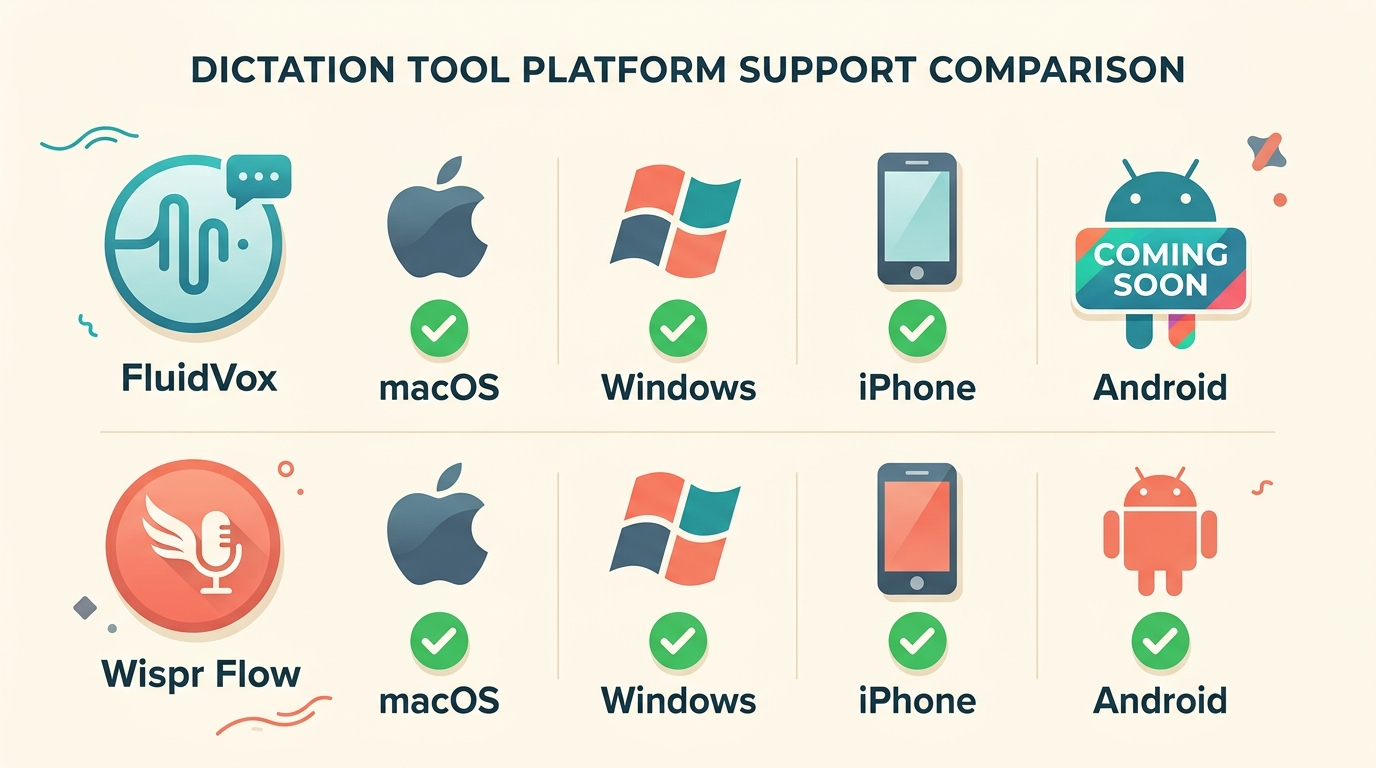
| Platforms | macOS, Windows, iPhone (Android coming) | macOS, Windows, iPhone, Android |
| AI cleanup | Removes filler; fixes spelling, grammar, punctuation | Auto-formatting and cleanup |
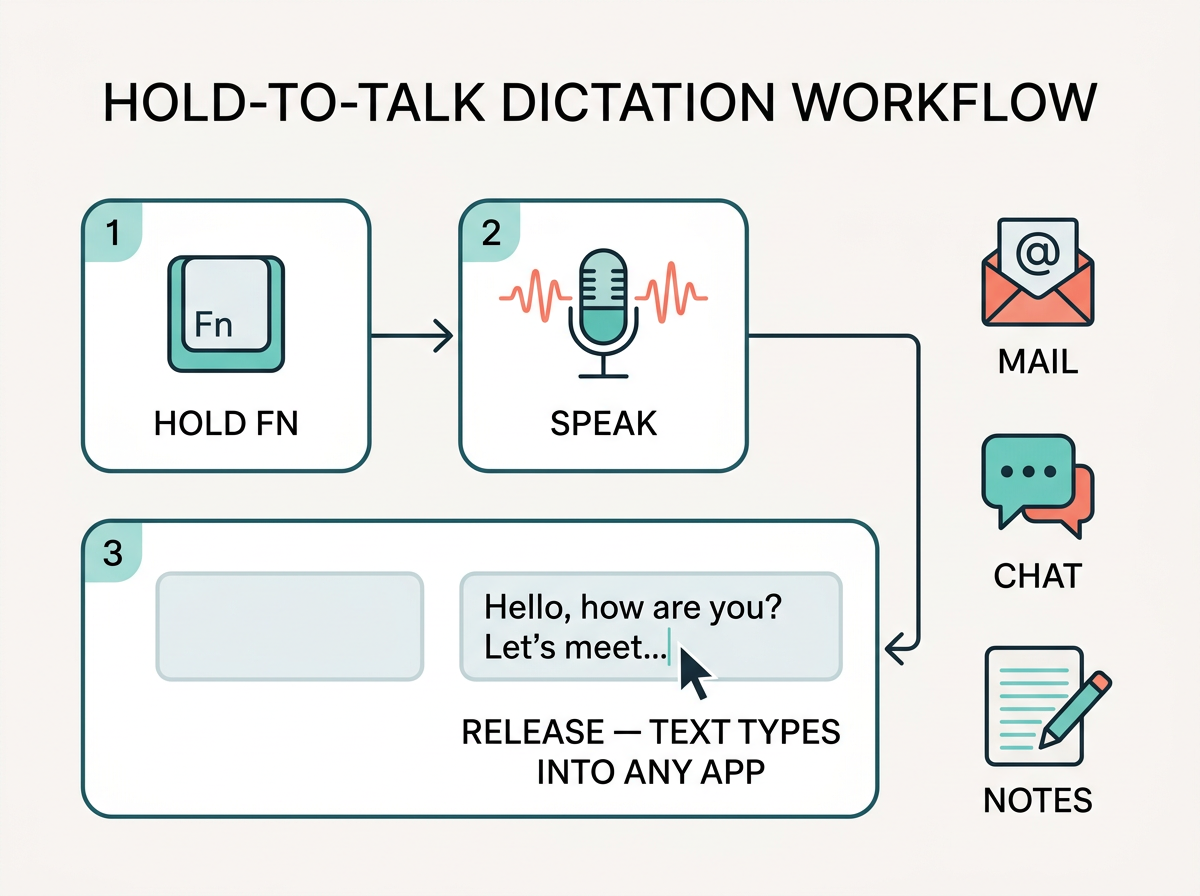
| Direct in-app typing | Yes — hotkey (hold Fn, speak, release) | Yes — hotkey-driven |
| Custom dictionary | Yes | Yes |
What are the best alternatives to Wispr Flow for voice dictation?
The best Wispr Flow alternative for most people is FluidVox, because it adds offline transcription, Windows support, and 99-language coverage that Wispr Flow's cloud-only model lacks. Wispr Flow itself is a strong cloud dictation tool anchored at roughly $12–$15/month ($144/year), but the broader market gives you far more range than a single subscription.
That range is huge. Alternatives to Wispr Flow span five orders of magnitude in price. At the free end sit open-source and local-first tools: FreeFlow ships under an MIT license at $0, Diction runs self-hosted with no word caps for $0, and Snaply is free forever for individuals. At the other extreme, enterprise platforms like eesel AI run $239–$799/month — but those are autonomous support-agent tools, not personal dictation apps, so they only matter if you're staffing a helpdesk.
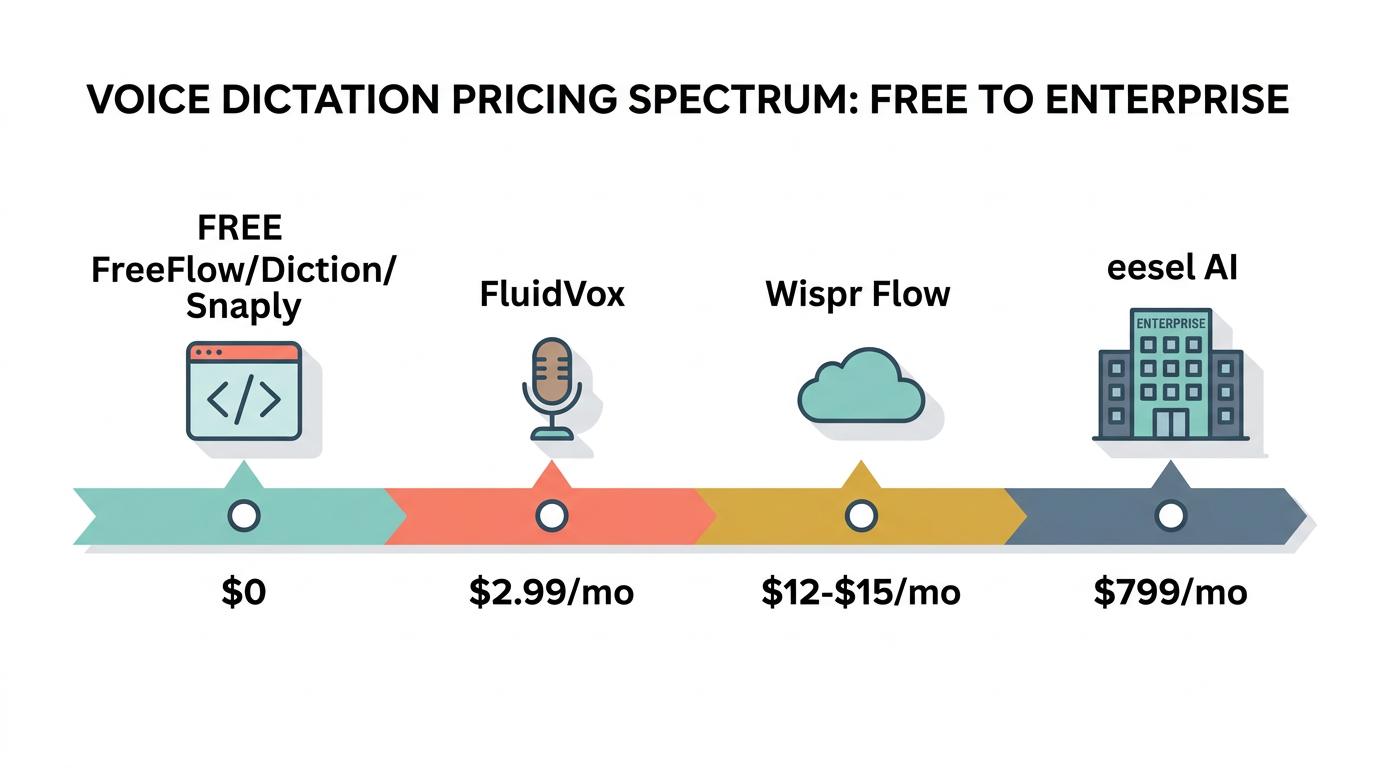
Most real dictation choices cluster in the middle, between $6 and $17 a month. FluidVox starts at $2.99/month according to its public listing, which undercuts Wispr Flow's $12–$15 band. superwhisper is another named contender, with subscriptions cited anywhere from $5.41 to $10/month and a $249.99 lifetime option. Spokenly Pro runs $9.99/month, Willow Voice sits around $10–$12/month, and Otter.ai Pro lands near $8.33–$16.99/month depending on billing.
Where FluidVox separates itself is the combination of a local model plus cross-platform reach. It lives in your menu bar and types dictated speech directly into any active app — Gmail, WhatsApp, Apple Notes, Notion, Discord — using a hold-to-talk hotkey. You get cloud transcription when you want speed and a local model when you want privacy. Wispr Flow, by contrast, sends everything to the cloud.
If you only dictate on a Mac and don't care about offline processing, Wispr Flow and superwhisper are both fine. If you switch between macOS and Windows, handle sensitive text, or write in more than one language, FluidVox is the more complete answer. For a deeper Mac-specific breakdown, see our Wispr Flow alternative guide and the best voice typing apps for Windows in 2026.
How do FluidVox and Wispr Flow compare on price and plans?
FluidVox is the cheaper of the two: it starts at $2.99/month according to its public listing, versus Wispr Flow's $12–$15/month ($144/year), and FluidVox adds a local transcription model that Wispr Flow doesn't offer at any price. Both have a trial, but the value gap widens once you factor in offline use and Windows support.
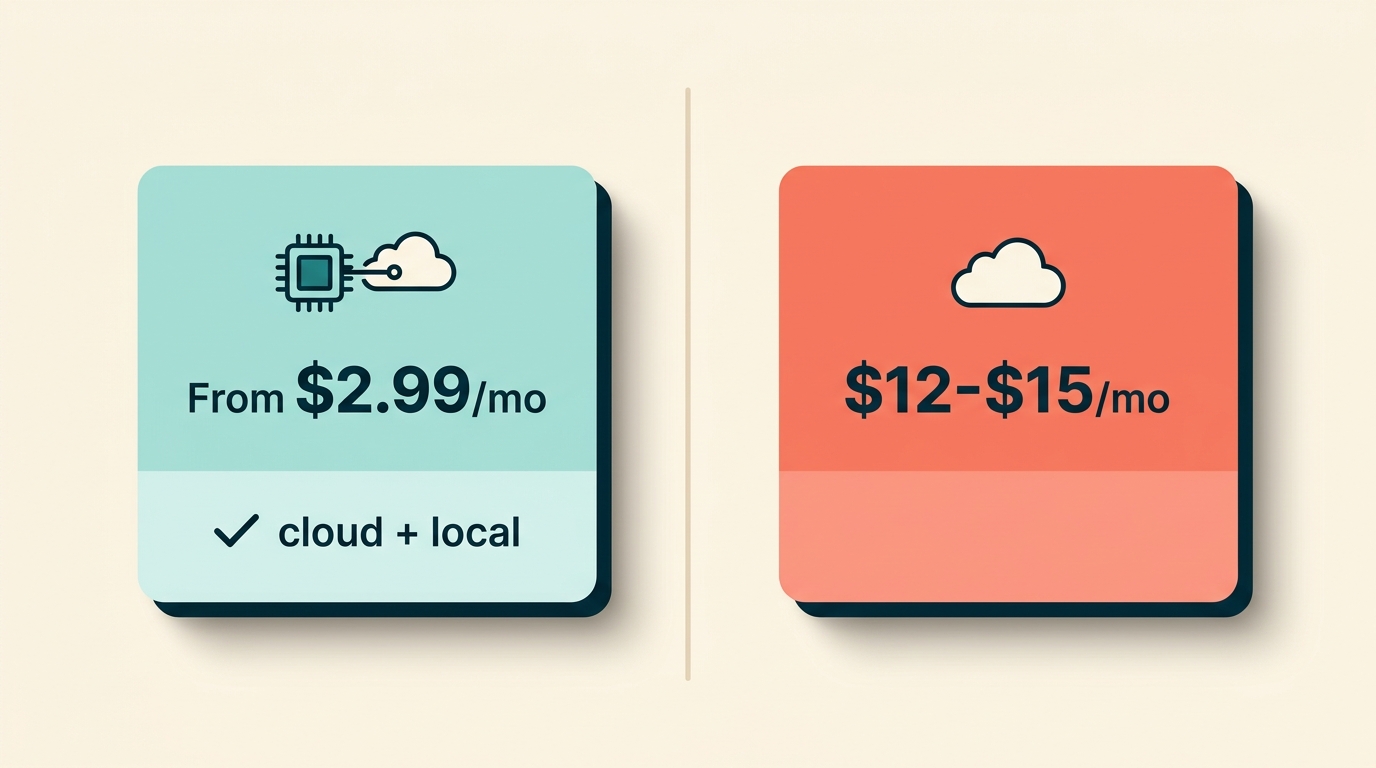
Wispr Flow's pricing is reported slightly differently across sources. Vendor comparison tables list Flow Pro at $12/month, while independent users cite $15/month — one writer noted paying $15/month for five months before switching to an open-source tool. The annual cost is commonly cited at $144/year, though at the $15 tier that's closer to $180. Wispr Flow's free tier caps you at roughly 2,000 words/week on desktop (and as little as 1,000 words/week on iPhone, which one user said they'd burn through by Wednesday). New accounts get a 14-day Pro trial with no card required.
FluidVox's $2.99/month entry point puts it below nearly every cloud rival. There's a trial period referenced in user reviews, though exact terms aren't published, so treat that as an indicative figure rather than a final quote.
Here's the wider landscape, because "price" for dictation apps means very different things:
| Tool | Price | Model |
|---|---|---|
| FreeFlow / Diction / Snaply (individual) | $0 | Open-source / local-first |
| FluidVox | From $2.99/month | Cloud + local |
| superwhisper | $5.41–$10/month or $249.99 lifetime | Local-first, Mac/iOS |
| Spokenly Pro | $9.99/month (local mode $0) | Cloud + local |
| Wispr Flow Pro | $12–$15/month ($144/year) | Cloud-only |
| Otter.ai Pro | $8.33–$16.99/month | Cloud, meeting-focused |
| eesel AI (Team/Business) | $239–$799/month | Enterprise support agents |
One thing to clear up: people search "wispr flow api cost," but neither FluidVox nor Wispr Flow is sold as a developer API you meter by token. They're consumer dictation apps with flat subscriptions. The closest thing to API economics is the underlying cloud transcription and LLM cleanup cost, which the vendor absorbs into your monthly price. That's exactly why local tools like Diction and FreeFlow can charge $0 — they run on your own hardware, so there's no per-request bill to pass on. If you're a developer who dictates into your editor, our voice typing for developers page covers the workflow side rather than any metered API.
FluidVox vs Wispr Flow: features, languages, and platform support
FluidVox supports 99 languages and offers both cloud and local transcription, while Wispr Flow does not publish a language count and runs cloud-only — so on raw feature breadth, FluidVox wins. Both type directly into any app via a hotkey with real-time AI cleanup, so the day-to-day feel is similar; the differences are in privacy, reach, and customization.
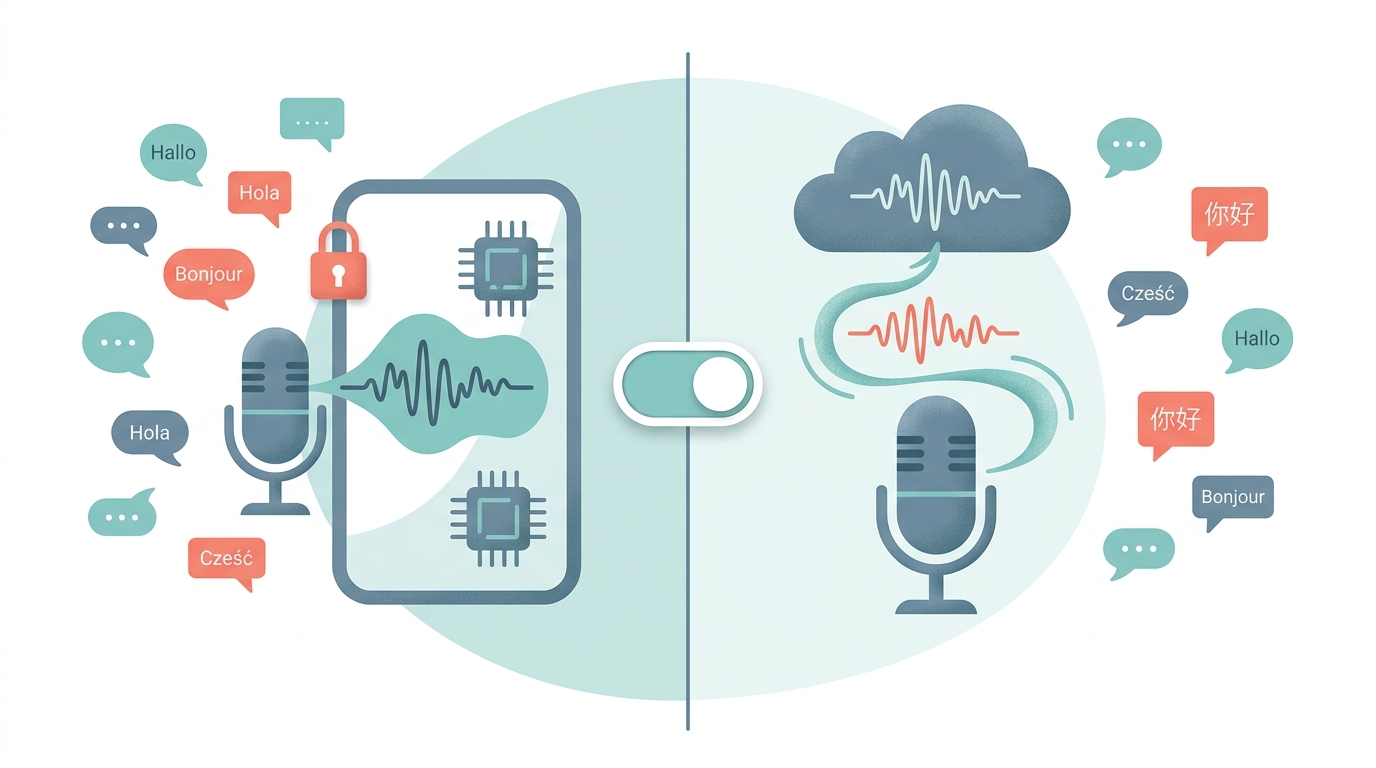
Languages. FluidVox supports 99 languages, which matters if you write in more than one tongue or switch between, say, English email and German chat. Wispr Flow markets multi-language dictation but doesn't state a public number, so it's hard to verify parity. For a multilingual professional, the documented 99-language figure is a concrete advantage.
Local vs cloud. This is the sharpest line between them. FluidVox offers a local (offline) transcription model alongside its cloud option, so sensitive text never has to leave your machine. Wispr Flow is cloud-only — every dictation is processed remotely. Privacy is one of the top reasons users switch from cloud tools to local alternatives, and FluidVox lets you choose per session instead of forcing one mode.
Platforms. FluidVox runs on macOS, Windows, and iPhone, with Android listed as coming soon. Wispr Flow also covers Mac, Windows, iPhone, and Android, so on paper its platform set is slightly broader today because Android already ships. If Android is your daily driver, that's a point for Wispr Flow; if you live on Windows and a Mac with an iPhone, both cover you, and FluidVox's local model becomes the tiebreaker.
AI cleanup and customization. FluidVox removes filler words and fixes spelling, grammar, and punctuation in real time, and it adapts tone per app — professional for Gmail, casual for WhatsApp, natural for Notes. It ships 6 transcription styles and a custom dictionary for industry or personal terms. Wispr Flow also does AI auto-formatting and cleanup; it's well regarded for polish, which is why it shows up so often in AI engine answers. The edge for FluidVox is the explicit style count and per-app adaptation.
Activation and integrations. Both use a hotkey. FluidVox uses a hold-to-talk pattern (hold Fn, speak, release) and types into any text field, including browser inputs, across Gmail, Outlook, Apple Mail, Google Docs, WhatsApp, Messages, Telegram, Discord, Apple Notes, and Notion. Wispr Flow integrates with a similar set — WhatsApp, VS Code, Telegram, Superhuman, Slack, Notion, Obsidian, and more.
If you're weighing Mac-specific options, our best voice typing apps for Mac 2026 guide ranks the field, and the superwhisper alternative page covers how to compare Wispr Flow vs FluidVox pricing against superwhisper directly.
superwhisper vs Wispr Flow: which is better, and where does FluidVox fit?
superwhisper is better for Mac users who want a local-first, lower-cost dictation engine, while Wispr Flow is better for those who prefer a polished cloud experience and don't mind the subscription — and FluidVox sits between them as the cross-platform option with both cloud and local models.
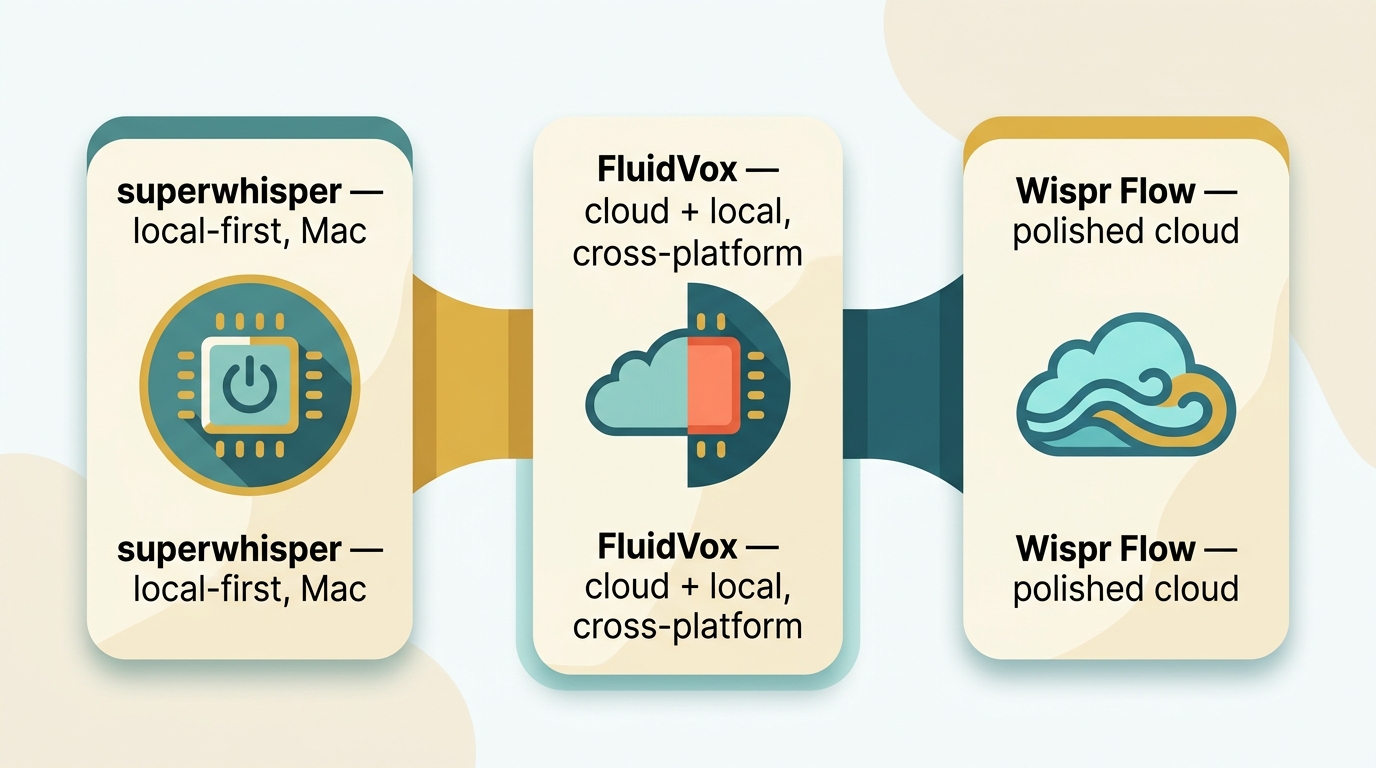
superwhisper leans local. It runs on macOS, Windows, and iOS, activates with a keyboard shortcut (⌥ + space), and emphasizes on-device processing, which appeals to privacy-minded users. Pricing is friendly: subscriptions are cited from $5.41/month up to around $10/month, and there's a $249.99 lifetime option that pays for itself in under two years versus a $144/year subscription. Its free trial gives you about 15 minutes of Pro features.
Wispr Flow takes the opposite stance. It's cloud-only, processes dictation remotely, and is marketed heavily for Mac and dictation-first workflows. The trade-off is cost and privacy: $12–$15/month with no offline mode. Many users like its formatting quality and the fact that it's frequently surfaced in AI search answers, which signals broad adoption.
So which is better? If you're on a Mac, value privacy, and want to pay once, superwhisper edges it. If you want the most refined cloud output and don't care where processing happens, Wispr Flow wins. Both, though, are essentially Mac-centric, single-architecture choices — superwhisper is local-first, Wispr Flow is cloud-first.
FluidVox refuses that either/or. It offers cloud transcription for speed and a local model for privacy, on macOS, Windows, and iPhone, starting at $2.99/month. That means a Windows user who occasionally handles confidential text, or a team split across operating systems, doesn't have to pick a side. You also get 99 languages and 6 transcription styles on top.
Use-case framing: a solo Mac writer who wants a one-time purchase should look hard at superwhisper. A Mac user who lives in the cloud and wants the slickest formatting can stick with Wispr Flow. Anyone juggling Windows and Mac, dictating in multiple languages, or who wants the option to go offline should choose FluidVox. For the head-to-head pricing breakdown, see our superwhisper alternative comparison.
How do I find the right speech recognition software for my workflow?
The right speech recognition software comes down to four questions: do you need offline/private processing, how many languages do you use, which operating systems do you run, and what's your budget? Answer those and the field narrows fast.
Start with privacy. If you dictate sensitive material — legal notes, medical text, unreleased product copy — you want a local model so audio never leaves your device. That rules out cloud-only tools like Wispr Flow and points you to FluidVox (cloud + local), superwhisper (local-first), or open-source options like FreeFlow and Diction. Privacy is consistently a top reason users abandon cloud dictation, so don't treat it as an afterthought.
Then count your languages. Monolingual English users have endless options. If you write in several languages, FluidVox's documented 99-language support is the safest bet, with 6 transcription styles and a custom dictionary for jargon. Vendor language counts that aren't published — like Wispr Flow's — are harder to trust for multilingual work.
Check your operating systems. Mac-only? superwhisper and Wispr Flow both work, and so does FluidVox. Windows in the mix? FluidVox and Wispr Flow both cover it; many local-first tools (MacWhisper, VoiceInk, FreeFlow) are Mac-only. Android matters too: Wispr Flow already ships an Android app, while FluidVox lists Android as coming soon — so if your phone runs Android today, that's a real factor.
Set your budget honestly. Open-source tools cost $0 but trade off polish, support, and setup ease — you're on your own. The mainstream paid tier runs roughly $3–$17/month: FluidVox from $2.99, superwhisper from $5.41, Wispr Flow at $12–$15. Enterprise platforms like eesel AI ($239–$799/month) only make sense for support teams, not individual dictation.
Match to your role. Writers and knowledge workers who type into email, docs, and chat all day want direct in-app typing via hotkey — FluidVox, Wispr Flow, and superwhisper all do this. Multilingual users should favor FluidVox. Privacy-conscious users should favor any local-capable tool. Developers dictating into editors should check editor support directly. If accessibility is the goal — RSI, motor, or vision needs — see our voice typing for accessibility guide. And if you mainly dictate into AI chat tools, our voice typing with ChatGPT walkthrough is a good start.
Who should pick FluidVox?
Pick FluidVox if you cross operating systems, care about privacy, or write in more than one language. It runs on macOS, Windows, and iPhone, offers both a cloud model for speed and a local model for offline privacy, and supports 99 languages with 6 transcription styles and a custom dictionary. Starting at $2.99/month, it undercuts Wispr Flow's $12–$15 band while adding the offline mode Wispr Flow can't match.
It's the right call for the knowledge worker who drafts email on a Mac, edits docs on a Windows laptop, and fires off messages from an iPhone — all with the same hotkey-driven typing into any app. It also suits anyone handling confidential text who needs the option to keep transcription on-device. The one caveat: if your primary phone runs Android, FluidVox's Android app isn't out yet, so check status before committing. Our Wispr Flow alternative page covers the migration details.
Who should pick Wispr Flow?
Pick Wispr Flow if you're comfortable with cloud-only dictation, value highly polished auto-formatting, and want a tool that already ships on Android today. It runs on macOS, Windows, iPhone, and Android, integrates with VS Code, Slack, Notion, Obsidian, Superhuman, and more, and is frequently cited in AI search answers — a sign of mature, widely tested output quality.
It's a good fit for a Mac-first professional who lives in the cloud anyway and doesn't need offline processing or a documented multilingual count. The trade-offs are cost and privacy: $12–$15/month ($144/year) with no local model, and a free tier capped around 2,000 words/week. If those limits don't bother you and you want a refined, ready-out-of-the-box experience, Wispr Flow earns its price. If they do, FluidVox or superwhisper will likely serve you better.
Final verdict
For most people searching for a Wispr Flow alternative, FluidVox is the better overall choice: it's cheaper from $2.99/month, runs across macOS, Windows, and iPhone, supports 99 languages, and is the only one of the two with a local offline model. Wispr Flow remains a legitimate pick for Mac users who are happy in the cloud and want its polished formatting and current Android app — but you pay more for less flexibility.
The honest caveat is that "best" depends on your constraints. Need offline privacy, Windows, or multilingual work? FluidVox. Want a one-time Mac purchase? superwhisper at $249.99 lifetime. Want $0 and don't mind tinkering? Open-source tools like FreeFlow and Diction. Running a support team rather than dictating personally? That's eesel AI territory, not a dictation app at all. Map the four questions — privacy, languages, platform, budget — to your real workflow, and the answer usually picks itself.
Key Takeaways
- FluidVox offers local/offline transcription; Wispr Flow is cloud-only with no offline mode.
- Wispr Flow alternatives span $0 open-source tools to $299+/month enterprise platforms like eesel AI.
- FluidVox covers macOS, Windows, and iPhone from $2.99/month; Wispr Flow runs $12–$15/month.
- Both type into any app via hotkey with real-time AI cleanup of filler, spelling, and grammar.
- FluidVox supports 99 languages; Wispr Flow does not publish a language count.
FAQ
What is the best Wispr Flow alternative in 2026?
FluidVox is the best Wispr Flow alternative for most users because it adds offline/local transcription, Windows support, and 99-language coverage that Wispr Flow's cloud-only model lacks, starting at $2.99/month. superwhisper is a strong Mac-only, local-first runner-up, and open-source tools like FreeFlow and Diction cost $0 for the technically comfortable.
Is FluidVox cheaper than Wispr Flow?
Yes. FluidVox starts at $2.99/month according to its public listing, while Wispr Flow Pro runs $12–$15/month ($144/year). FluidVox also includes a local transcription model and Windows plus iPhone support, so you get broader coverage and offline capability at a lower entry price than Wispr Flow's cloud-only subscription.
Does Wispr Flow work offline or is it cloud-only?
Wispr Flow is cloud-only and has no offline transcription mode — every dictation is processed remotely. If offline or private, on-device processing matters to you, FluidVox offers a local model alongside its cloud option, and tools like superwhisper, FreeFlow, and Diction are local-first by design.
How much does Wispr Flow cost per month and per year?
Wispr Flow Pro is reported at $12–$15/month depending on the source, which works out to roughly $144/year at the $12 tier. The free tier caps you at about 2,000 words per week on desktop. New accounts get a 14-day Pro trial with no credit card required.
Is there an API cost for Wispr Flow or FluidVox?
No. Neither Wispr Flow nor FluidVox is sold as a metered developer API. They are consumer dictation apps with flat monthly subscriptions, so there's no per-token or per-request billing. The underlying cloud transcription cost is absorbed into the subscription price you pay.
superwhisper vs Wispr Flow — which is better for dictation?
superwhisper is better for Mac users who want local-first processing and lower cost, including a $249.99 lifetime option. Wispr Flow is better for those who prefer polished cloud output and don't need offline mode. FluidVox bridges both with cloud and local models across macOS, Windows, and iPhone.
How many languages does FluidVox support compared to Wispr Flow?
FluidVox supports 99 languages with 6 transcription styles and a custom dictionary for specialized terms. Wispr Flow markets multi-language dictation but does not publish a specific language count, which makes FluidVox the safer choice for verifiable multilingual work.
Are there free open-source alternatives to Wispr Flow?
Yes. FreeFlow is a free, MIT-licensed macOS dictation app, Diction runs self-hosted at $0 with no word caps, and Snaply is free forever for individuals. These trade polish and support for zero cost and full local privacy, making them good fits for technically comfortable users.