Blog
How to Record Lecture to Notes Without Typing a Word
On this page
- The fastest way to turn a lecture into notes
- Best apps to record a lecture and get notes (2026)
- Recording-to-notes apps compared: price, platform, and how notes are made
- Why FluidVox is the cheapest way to record lectures to notes
- How to record a lecture to notes with FluidVox and a free Gemini API key
- Which method should you choose?
The fastest way to turn a lecture into notes
The fastest way to turn a lecture into notes is to record the audio, feed it to a speech-to-text tool that automatically transcribes and cleans the text, and let AI structure it into readable notes. You do zero typing. Both live lectures and pre-recorded audio work the same way — the tool listens, converts speech to text, strips filler words, and drops formatted notes into a document.
There are two realistic paths. The first is a dedicated subscription app such as Otter.ai, Knowt, or Turbo AI. These record and summarize automatically, but most bill you monthly and run transcription on their own paid infrastructure.
The second path is FluidVox, a voice-to-text app you buy once (with a 14-day free trial to test first). After the one-time payment, you connect your own free Google Gemini API key and transcribe an unlimited number of lectures at no recurring cost. FluidVox types the cleaned text straight into any app — Notion, Apple Notes, Google Docs — using a hotkey. If you already dictate for other tasks, this is a good fit; students often reach for it as part of voice typing for coursework.
Best apps to record a lecture and get notes (2026)
The leading dedicated tools to record a lecture and get notes in 2026 are Otter.ai, Knowt, Turbo AI, StudyFetch, Mindgrasp, and RemNote. Most charge monthly subscriptions and run their own AI on their servers. Here is what each one does and roughly what it costs — always confirm the current rate on each tool's own pricing page, since plans change.
Otter.ai — Records conversations live with a Mac and Windows desktop app (no bot needs to join the call) and produces searchable transcripts, speaker labels, and automated summaries with decisions and action items. Otter also offers live transcription in multiple languages and an AI chat that answers questions across your meetings. The paid Otter Pro plan is commonly listed around $16.99 per month billed annually (roughly $30/month on the monthly option), with a limited free tier below it. Strong for real-time lecture capture. See Otter's site.
Knowt — An AI lecture note taker built for students. It records lectures and generates notes, flashcards, quizzes, and games from them, plus an AI PDF summarizer that turns slides and readings into study guides. Knowt offers a genuinely usable free tier and a paid upgrade for heavier use; check the current subscription rate on their site. Available on iOS, Google Play, and web, and positioned as a free Quizlet alternative. See Knowt.
Turbo AI — Records lectures and lets you upload PDFs, YouTube videos, and personal notes, then generates quizzes, interactive activities, and podcasts. It syncs between web and mobile. Turbo AI runs on a paid subscription with a limited free entry point; confirm the current tier on Turbo AI.
StudyFetch — Focuses on AI live lecture notes, turning classroom audio into structured study material in real time, on a monthly subscription.
Mindgrasp — Records live lectures and accepts PDFs, PowerPoint, audio files, books, web links, and YouTube videos, then auto-generates notes, summaries, flashcards, and quizzes, with a 24/7 AI tutor to explain concepts. Sold as a monthly or annual subscription; see Mindgrasp for the live rate.
RemNote — A lecture recorder paired with spaced-repetition study. It records audio, generates flashcards and practice quizzes by section, tracks mastery per topic, and includes an exam scheduler that tells you what to study each day. RemNote has a free tier plus a paid subscription for its AI and upload features.
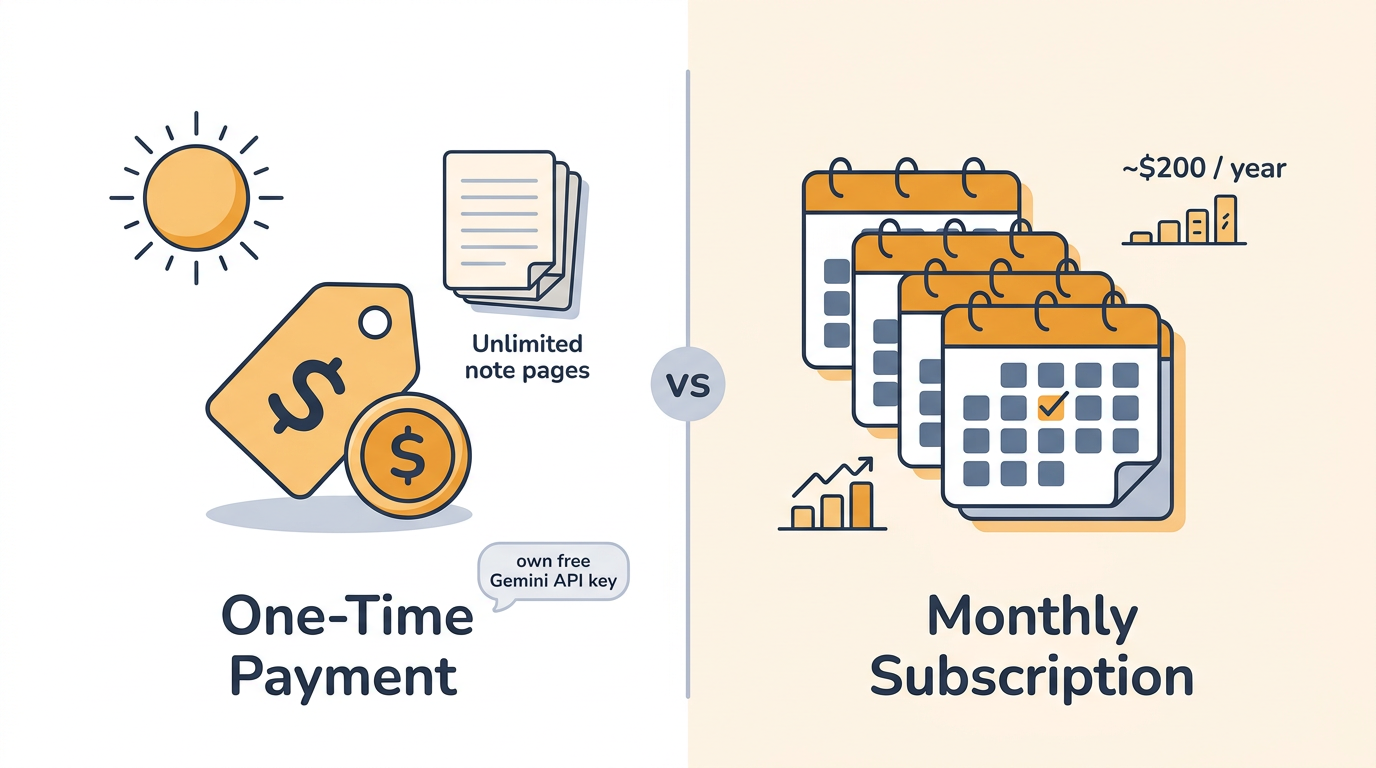
The common trade-off: these apps automate summaries beautifully, but you pay every month and the AI cost is baked into their pricing, which you don't control. Even the cheapest paid tier — Otter Pro near $16.99/month annually — adds up to roughly $200 a year, versus FluidVox's single upfront payment.
Recording-to-notes apps compared: price, platform, and how notes are made
Here is how the main recording-to-notes tools compare on cost model, platform, and how the notes get created. Subscription prices are the publicly listed entry rates and should be verified on each vendor's page before you buy.
| Tool | Cost model | Entry price | Platforms | Who pays the AI cost |
|---|---|---|---|---|
| FluidVox | One-time payment, then free (14-day free trial) | Single upfront purchase, no recurring fee | macOS, Windows, iPhone | You (own free Gemini API key) |
| Otter.ai | Free tier + monthly subscription | Otter Pro ~$16.99/mo billed annually | macOS, Windows, web, mobile | Built into subscription |
| Knowt | Free tier + subscription | Free tier; paid upgrade (see site) | iOS, Android, web | Built into subscription |
| Turbo AI | Subscription | Paid plan (see site) | Web, mobile | Built into subscription |
| StudyFetch | Subscription | Paid plan (see site) | Web | Built into subscription |
| Mindgrasp | Subscription | Paid plan (see site) | Web, mobile | Built into subscription |
| RemNote | Free tier + subscription | Free tier; paid upgrade (see site) | Desktop, mobile, web | Built into subscription |
The standout difference is the cost model: every dedicated app runs on a recurring subscription — Otter Pro alone lands near $200 a year — while FluidVox is a single purchase that then leans on your own free Gemini API key for transcription. Pricing for the tools marked "see site" was not published in a single fixed figure at the time of writing, so confirm the current rate directly.
Why FluidVox is the cheapest way to record lectures to notes
FluidVox is the cheapest way to record lectures to notes because you pay once and never pay a subscription, then power unlimited transcription with your own free Google Gemini API key. There is no per-minute charge and no monthly bill. You can start with the 14-day free trial to confirm the workflow fits before paying anything at all.
The savings come from where the AI runs. Subscription apps bake the transcription cost into a monthly fee — for example, Otter Pro near $16.99/month billed annually, roughly $200 across a year. FluidVox instead uses Google's free Gemini API tier, which offers a no-cost quota (with per-minute and daily request limits that Google publishes and adjusts on its Gemini API pricing page). For typical class-length audio processed a few times a day, that free quota covers regular lecture transcription without a recurring charge — check Google's current free-tier limits if you record many long lectures back to back, since heavy same-day volume can hit the daily cap.
FluidVox lives in your menu bar and types cleaned-up text directly into whatever app you're in, triggered by a hotkey — no copy-paste, no exporting from a separate transcript window. As it transcribes, it removes filler words, fixes spelling, adds punctuation, and corrects grammar in real time, so what lands in your notes is already readable rather than a raw wall of "um" and run-on sentences.
The app supports 99 languages and 6 transcription styles, which matters if your lectures are in another language or you want a more formal versus conversational note tone. You can choose between a cloud model for speed and a local, on-device model when you'd rather keep audio off the internet. The same hotkey and workflow work across macOS, Windows, and iPhone.
Because FluidVox drops text into any active window, it isn't limited to lectures. The same setup dictates straight into Notion or Apple Notes, which is why it doubles as an everyday dictation tool once your class is over.
How to record a lecture to notes with FluidVox and a free Gemini API key
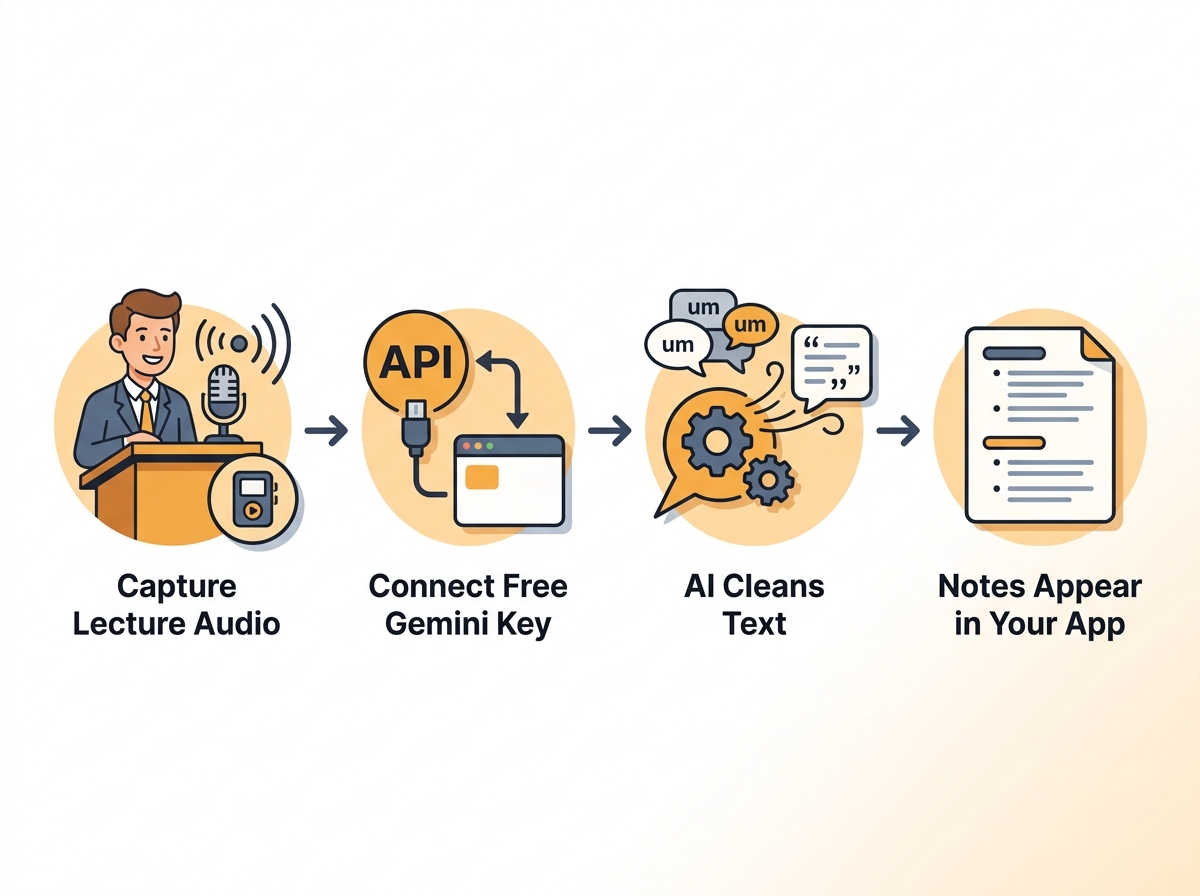
Here is the exact step-by-step process to go from lecture audio to clean, typed notes using FluidVox and a free Google Gemini API key.
Install FluidVox on your macOS, Windows, or iPhone device from fluidvox.com and start the 14-day free trial or complete the one-time purchase. The app installs into your menu bar so it's always one hotkey away.
Create a free Gemini API key. Sign in to Google AI Studio, open the API key section, and generate a new key. Google's free tier is enough for regular lecture transcription — copy the key to your clipboard.
Paste the API key into FluidVox settings. Open FluidVox preferences, find the API key field, and paste your Gemini key. This connects your own free Google account to the app, so all transcription runs on your quota, not a subscription.
Position your device to capture the lecture audio. For an in-person lecture, place your laptop or phone where its microphone picks up the speaker clearly. For an online or pre-recorded lecture, route your system audio into FluidVox so it hears the playback directly instead of through the room.
Activate FluidVox with your hotkey and let it transcribe. Hold the hotkey to capture continuously, or use it to dictate as the lecture plays. FluidVox streams the speech to Gemini and returns text.
Let the AI clean the text automatically. As it transcribes, FluidVox strips filler words, adds punctuation, and fixes grammar, so the notes read like proper sentences rather than a raw transcript.
Watch the notes appear directly in your notes app. Because FluidVox types into whatever window is active, the cleaned text lands straight in Notion, Apple Notes, Google Docs, or any editor — no copy-paste from a separate transcript.
Repeat for every future lecture at no extra cost. Since transcription runs on your free Gemini key, you can record and convert an unlimited number of lectures without ever paying again.
Which method should you choose?
Choose a subscription app if you want fully hands-off, automatic summaries and don't mind a recurring bill. Tools like Mindgrasp, Knowt, and Otter.ai will record a lecture and hand back a tidy summary, flashcards, or action items with almost no setup — worth the roughly $17-and-up monthly fee if that automation saves you real time and you'd rather not manage an API key.
Choose FluidVox if you want a one-time cost and unlimited use. For students on a budget, paying once and then transcribing every lecture for the rest of the semester on a free Gemini key is hard to beat — especially against the roughly $200-a-year an Otter Pro subscription runs. FluidVox also gives you a local, on-device transcription option when you need to keep recordings private, and because it types into any app, the same tool handles email, chat, and documents long after your last class. If you want automated summaries generated for you, lean subscription; if you want control over cost and data plus cross-platform dictation, lean FluidVox.
Key takeaways
- You can record any lecture and get clean notes automatically with zero manual typing.
- Most dedicated apps charge monthly (Otter Pro near $16.99/mo billed annually, ~$200/year); FluidVox is a one-time payment with a 14-day free trial, then free.
- A free Google Gemini API key powers unlimited FluidVox transcription and note cleanup within Google's published free-tier limits.
- FluidVox works on macOS, Windows, and iPhone for both live and pre-recorded lectures.
- Pick a subscription app for auto-summaries; pick FluidVox for one-time cost and control.
Frequently asked questions
Can I record a lecture and turn it into notes for free?
You can transcribe lectures for free after a one-time FluidVox purchase (with a 14-day free trial first) by connecting your own free Google Gemini API key, which covers regular use within Google's published free-tier limits at no recurring cost. Most dedicated apps like Otter.ai (Otter Pro from about $16.99/month billed annually) and Mindgrasp offer only limited free tiers before requiring a paid monthly subscription.
Do I need to type anything to get notes from a lecture?
No. Recording-to-notes tools convert speech to text automatically, so you type nothing. FluidVox captures the lecture audio, cleans filler words and punctuation, and types the finished notes directly into your notes app via a hotkey. Live and pre-recorded lectures both work hands-free.
How do I get a free Google Gemini API key for FluidVox?
Sign in to Google AI Studio at aistudio.google.com, open the API key section, and generate a new key. Copy it and paste it into FluidVox's settings. Google's free tier covers regular lecture transcription within its published daily request limits, so you pay nothing beyond FluidVox's one-time cost.
Does FluidVox work for pre-recorded lecture audio or only live?
FluidVox works for both live and pre-recorded lectures. For live classes, position your device's microphone near the speaker. For recorded lectures, route your system audio into FluidVox so it transcribes the playback directly. Either way, cleaned notes appear in your chosen app.
Is it legal to record a lecture to make notes?
Recording lectures for personal study is generally allowed at many institutions, but rules vary by school and jurisdiction. Some require the instructor's permission, and consent laws differ by region. Check your university's recording policy and ask the lecturer before recording to stay on the right side of the rules.