
Blog
Voice Memos: How to Turn Rambling Recordings into Clean Text
On this page
- What is a voice memo?
- How to turn a voice memo into clean text
- The three types of voice-memo apps
- Voice-memo apps compared: transcription, languages, and AI notes
- How AI post-processing cleans up voice memos
- Which voice-memo approach fits your workflow
What is a voice memo?
A voice memo is a quick audio recording you make to capture a thought, note, or conversation without typing. You tap record, talk, and save the file. That's the whole idea. People use voice memos for reminders, half-formed ideas, meeting notes, interviews, lecture capture, and song sketches — anything faster to say than to write.
The distinction that matters is between the recording and the text. A recording is just an audio file. It sits on your phone as sound. You can play it back, but you can't search it, skim it, paste it into an email, or scan it in five seconds. Transcription turns that audio into words on a screen, which is where a rambling memo becomes something you can actually use.
That gap is why voice-memo tools vary so much. Apple's built-in Voice Memos app rates 4.8 out of 5 across roughly 1 million ratings on the App Store, and it records beautifully — but recording is only half the job. The other half is getting readable text out.
How to turn a voice memo into clean text
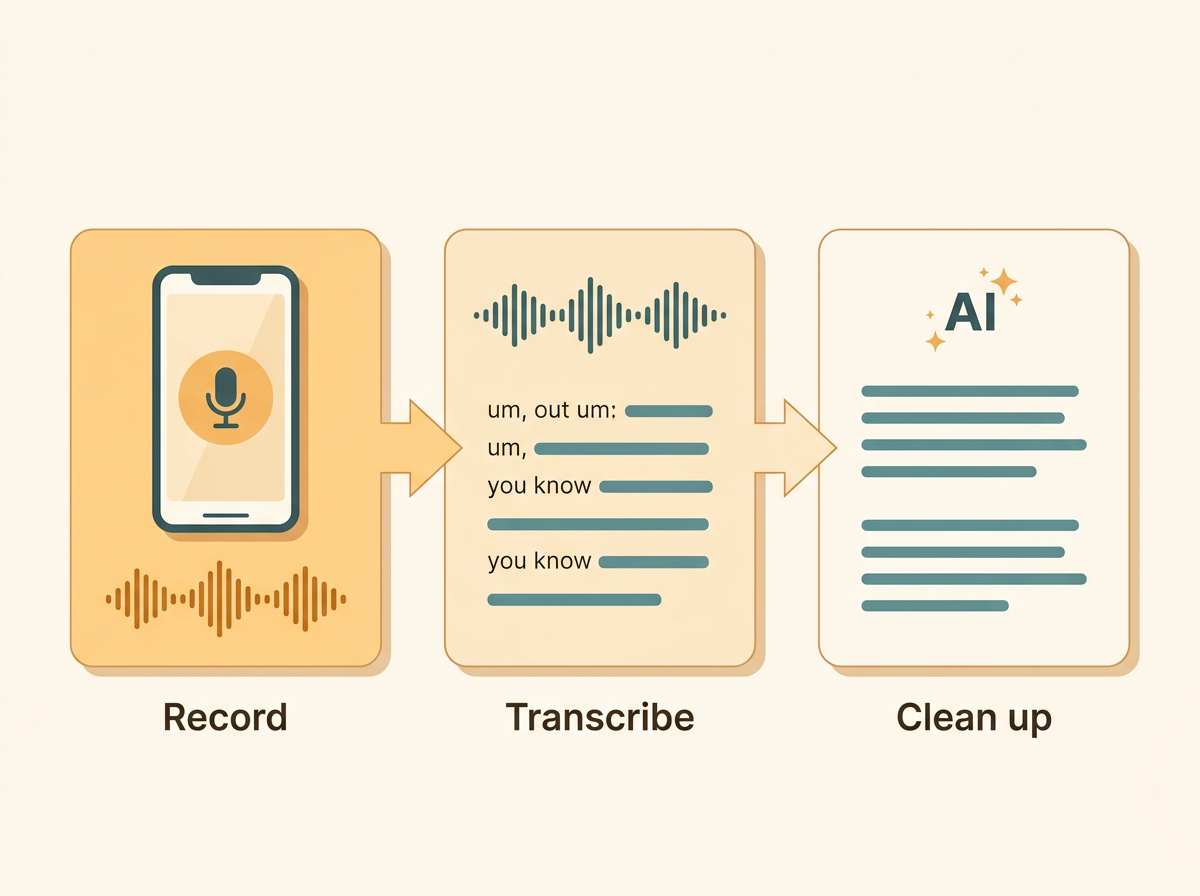
Turning a rambling voice memo into clean text takes three steps: record it, transcribe it, then clean up the transcript. Skipping the third step is why most raw transcripts read like a mess.
- Record the memo. Use whatever recorder you have — your phone's built-in app, a desktop recorder, or a browser tool like Online Voice Recorder. Speak naturally; you'll fix the messiness later.
- Transcribe the audio. Some apps transcribe on the device itself, which keeps your audio private and works offline. Others send the file to the cloud, where a larger model handles more languages and usually gets better accuracy. Apple's Voice Memos transcribes on-device but only for seven English locales. Cloud tools like Voicenotes claim 60+ languages with automatic detection.
- Clean up the transcript. A raw transcript keeps every "um," "you know," false start, and run-on sentence you spoke. It has almost no punctuation. This is where an AI cleanup pass matters — it strips filler words, fixes spelling and grammar, and inserts real punctuation and paragraph breaks.
Why does raw text need so much work? Because people don't talk in clean sentences. We backtrack, repeat ourselves, and trail off. A plain speech-to-text engine writes down exactly what you said, warts and all. If you've ever pasted a raw transcript into a document, you know the feeling — it's technically your words, but nobody wants to read it.
That's the difference between transcription and finished text. If you want to skip the copy-paste-and-edit loop entirely, a dictation tool that cleans as it types is faster. FluidVox, for example, applies an AI cleanup pass in real time so the text lands already punctuated and filler-free. Understanding what voice typing is and how it works helps here, since it's the same cleanup engine applied live instead of after the fact.
The three types of voice-memo apps
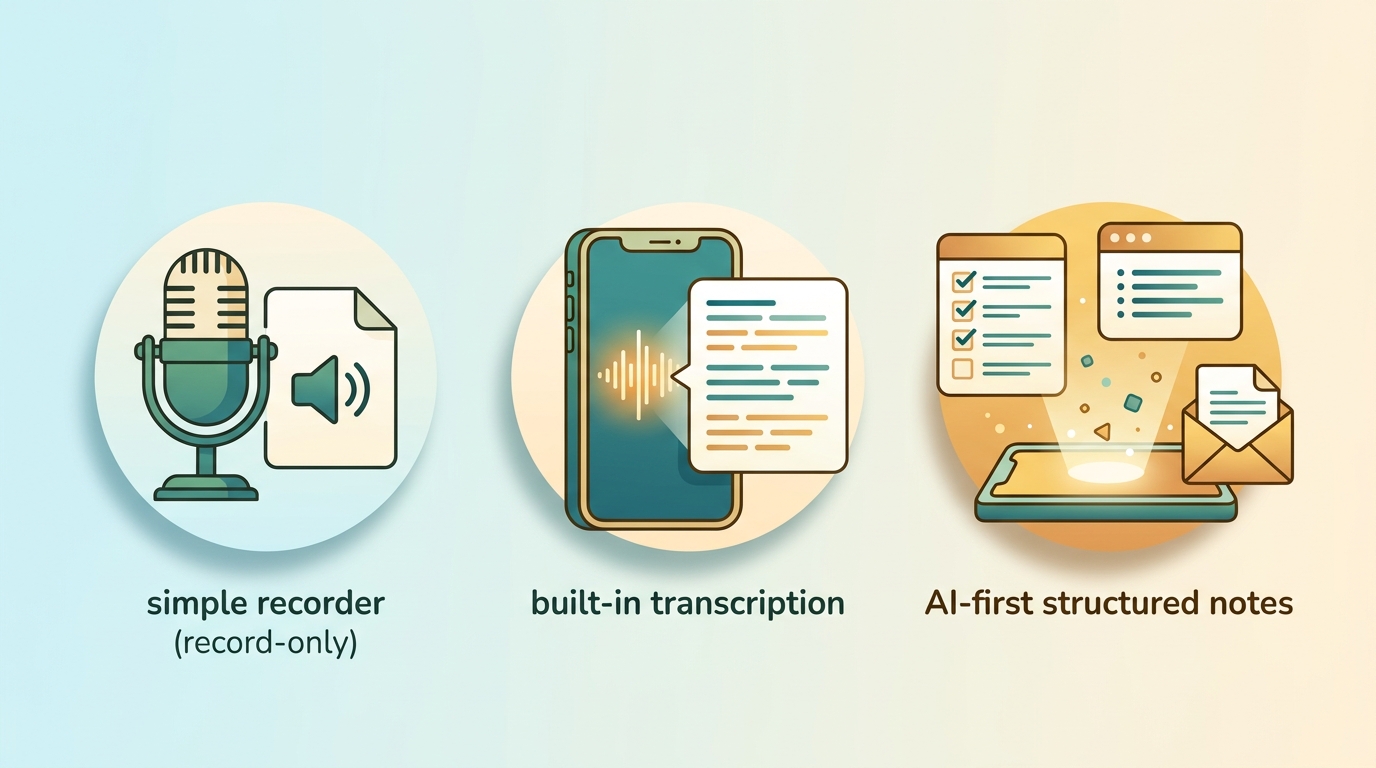
Voice-memo apps fall into three groups: record-only recorders, apps with built-in transcription, and AI-first tools that turn speech into structured notes. Knowing which group you're looking at saves you from downloading the wrong thing.
Record-only recorders just capture audio. The popular "Voice Recorder & Voice Memos" app from Simple Design has over 10 million downloads and a 4.7-star rating on Google Play, with five recording modes, format options, and trimming — but no transcription and no AI notes. You get an audio file and nothing more. Several reviewers there also flag heavy ads. These are great for musicians and anyone who just needs clean sound, and useless if you want text.
Built-in transcription apps add speech-to-text on top of recording. Apple Voice Memos does this on-device, converting speech to text automatically — but only for iPhone 12 and later, and only in seven English locales (Australia, Canada, Ireland, New Zealand, South Africa, the UK, and the US). Google Recorder does similar on-device transcription on Pixel phones. You get searchable text, but not summaries or action items — the transcript is the whole output.
AI-first tools treat the recording as raw material for structured notes. Voicenotes transcribes across 60+ languages and then generates summaries, action items, follow-up emails, and to-do lists, plus an "Ask AI" feature that queries across your past recordings. FluidVox sits in this group too, using large language models to clean and reshape speech into finished text across 99 languages. This is the layer that neither Apple nor Simple Design touches.
Voice-memo apps compared: transcription, languages, and AI notes
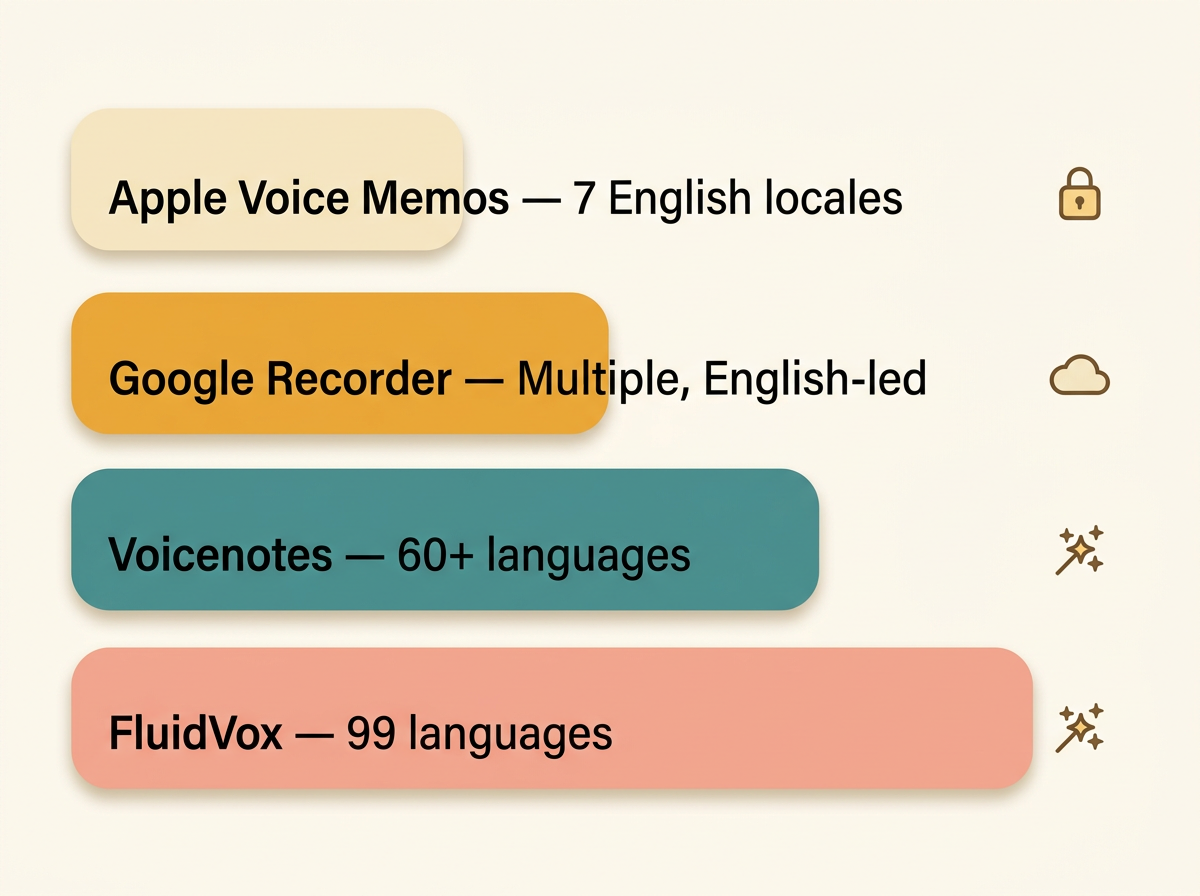
The fastest way to pick a voice-memo app is by three things: does it transcribe, how many languages does it cover, and does it produce structured notes? Here's how four common options stack up.
| App | Transcription | Languages | AI notes / cleanup | Platforms |
|---|---|---|---|---|
| Apple Voice Memos | On-device, iPhone 12+ | 7 English locales | None — transcript only | iPhone, iPad, Mac, Watch |
| Google Recorder | On-device (Pixel) | Multiple, English-led | None — transcript + search | Pixel Android |
| Voicenotes | Cloud | 60+ with auto-detection | Summaries, action items, follow-up emails, Ask AI | macOS, Windows, iOS, Android, Chrome |
| FluidVox | Cloud or local (offline) | 99 languages | Real-time cleanup, 6 styles, types into any app | macOS, Windows, iPhone |
The ratings hide the gap. Apple Voice Memos and Voicenotes both sit at 4.8 stars, yet one only transcribes English and the other generates full AI notes across 60+ languages. A high rating tells you people like the recording experience — not whether you'll get usable text out the other end. Voicenotes reports 850,000+ users and 1 million downloads, and states plainly that voice and notes are never used to train its AI, backed by SOC 2 Type II and GDPR compliance. FluidVox differs mainly in workflow: instead of saving notes in its own app, it types cleaned text straight into whatever app you're using, and adds a local model for people who need everything to stay on-device.
How AI post-processing cleans up voice memos
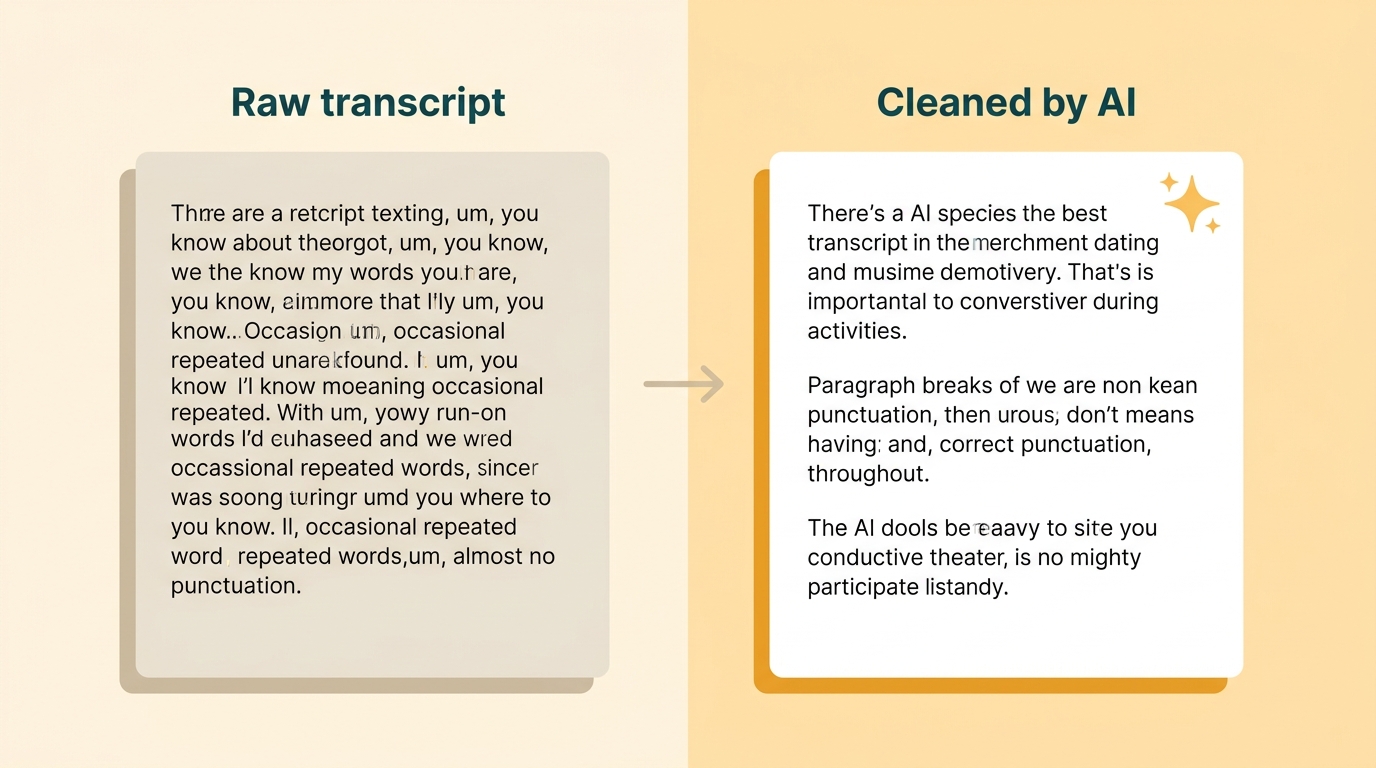
AI post-processing is the layer that turns a messy transcript into finished text, and FluidVox does it with Gemini-class large language model processing applied to your voice memos. Where a plain speech-to-text engine writes down every stumble, the LLM pass rewrites the output into something you'd actually send.
Here's what that pass actually does. It removes filler words like "um" and "you know," fixes spelling and grammar, and adds punctuation and paragraph breaks — all without you speaking any commands. You just talk, and clean sentences appear. FluidVox runs this in real time through a hotkey: hold the key, speak, release, and the cleaned text types directly into your active app. No exporting an audio file, no uploading it to a separate transcriber, no copy-pasting the result back into your document.
The cleanup also adapts to context. FluidVox offers six transcription styles — natural, casual, professional, code, notes, and email — so the same spoken words come out formatted for where they're going. Dictating a Slack message and drafting a formal email shouldn't read identically, and style matching handles that. You can also add a personal dictionary so names, jargon, and product terms stop getting mangled, which matters if you care about accuracy.
There's a privacy angle too. Because AI cleanup usually means sending audio to a cloud model, some people won't use it for sensitive work. FluidVox offers both cloud and local transcription models, so the whole pipeline can run on your device, offline. Voicenotes sets the compliance bar here with its SOC 2 and GDPR stance, and any tool sending your voice to an LLM should be explicit about whether that audio trains the model.
Which voice-memo approach fits your workflow
The right voice-memo tool depends on what you're doing with the audio, not which app has the most features. Match your situation to one of these:
- Quick personal reminders and rough ideas. A built-in recorder is enough. Apple Voice Memos or Google Recorder capture the thought, and Apple's on-device transcription is fine if you speak English. You don't need an AI layer to remember to buy milk.
- Interviews, meetings, or multilingual notes. Use an AI-first transcription tool. When you need accurate text across languages plus a summary and action items, Voicenotes or a similar tool earns its keep — Apple's seven-locale English limit is a dealbreaker outside those regions, and ESL speakers get far wider coverage from 60–99 language tools.
- Dictating straight into email, docs, or chat. A menu-bar dictation tool beats copy-pasting from a recorder. Instead of recording, transcribing, then pasting, FluidVox types cleaned text directly into whatever app is open — the difference is covered in voice typing vs dictation. Writers, executives, and anyone drafting all day save the most here.
- Offline or privacy-sensitive work. Choose a local transcription model. If your audio can't leave your device — legal, medical, or confidential material — pick a tool with on-device processing rather than a cloud-only service. FluidVox's local model and Apple's on-device transcription both keep audio off the internet.
Most people end up using two: a simple recorder for capture in the moment, and a cleanup or dictation tool when the words need to become usable text.
Key takeaways
- A voice memo is a quick audio recording; the value comes from converting it to clean text.
- Apps split three ways: record-only, built-in transcription, and AI post-processing into structured notes.
- Apple Voice Memos transcribes on-device but only for seven English locales on iPhone 12 and later.
- AI-first tools like Voicenotes and FluidVox handle 60–99 languages and produce summaries or cleaned text.
- For dictating into any app, a menu-bar tool beats copy-pasting from a recorder.
Frequently asked questions
Where are voice memos stored on iPhone?
Voice memos recorded in Apple's Voice Memos app are saved within the app itself and sync across your Apple devices through iCloud when enabled. You can find them by opening the Voice Memos app, where recordings are listed newest first and grouped by folder. Files are stored locally and backed up with your iCloud backup.
Can Apple Voice Memos transcribe recordings?
Yes, Apple Voice Memos transcribes recordings on-device, but only on iPhone 12 and later and only in seven English locales: Australia, Canada, Ireland, New Zealand, South Africa, the UK, and the US. It produces a plain transcript with no AI summary or action items. Outside those English regions, you'll need a separate transcription tool.
How do I convert a voice memo to text on Windows?
Windows has no built-in voice-memo transcriber, so you either upload the audio file to a cloud transcription service or use a dictation app. Tools like FluidVox run on Windows and type cleaned, punctuated text directly into any app via a hotkey, so you skip the record-export-upload loop entirely and get finished text as you speak.
What happens to my voice memos if I delete the app?
Deleting a recording app can remove any recordings stored only inside that app. On iPhone, deleting Apple Voice Memos may remove local recordings, though iCloud-synced copies can persist in your account. Before deleting any voice-memo app, export or back up important recordings first, since some apps store files only within their own storage.