Blog
Why Local Voice Transcription Models Beat Subscription Dictation Apps
The subscription math doesn't survive scrutiny
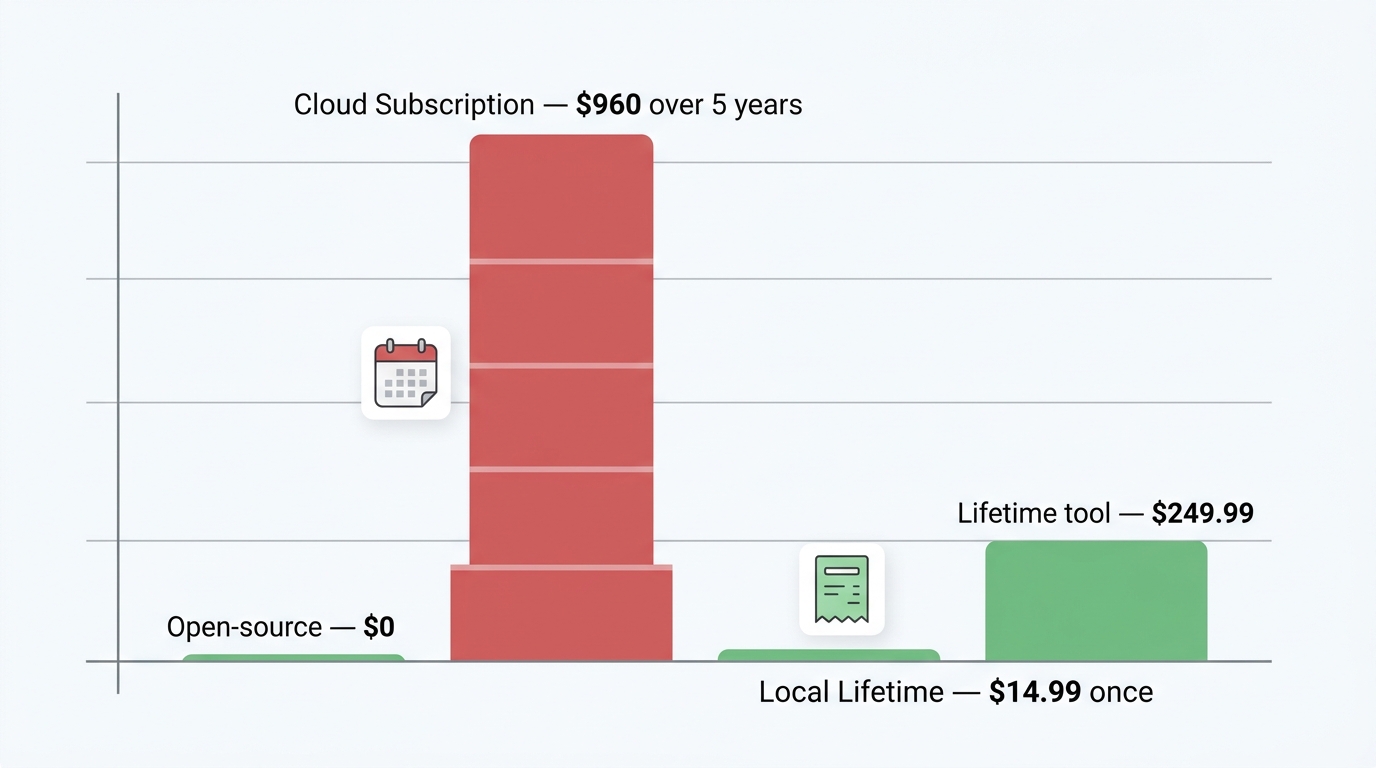
A monthly dictation subscription costs more in its first year than a one-time local license costs forever. Wispr Flow's Pro plan runs roughly $12 a month billed annually and $15–$16 billed monthly, according to a Write Interactive review and a get-whisper.com breakdown. That lands you at about $144–$192 in year one. Stretch the same plan across five years and you're looking at roughly $960 — for a tool that, by most accounts, runs entirely in the cloud with no offline mode.
Compare that to FluidVox's $14.99 one-time "Local Lifetime" purchase, listed on the App Store. One payment. No renewal. Less than a single month of the cloud subscription you'd otherwise be renting.
And renting is the right word. Think about what the monthly fee actually covers. The hard part of dictation — turning sound waves into text — is now a job your laptop's own processor can do. You aren't paying for a server farm to think for you so much as paying rent on a capability your device already supports. It's like leasing a coffee machine that lives in your own kitchen and runs on your own electricity.
The rest of the market makes the subscription look even stranger. Superwhisper offers a $249.99 lifetime option, and a separate Mac tool sold on get-whisper.com charges $29 once. Open-source options like Handy — which has around 11,000 GitHub stars per a Hacker News thread — cost nothing because they run on your hardware. When the same category contains $0 tools, $14.99 lifetime licenses, and $960-over-five-years subscriptions, the burden of proof sits squarely on the subscription. If you've been weighing the Wispr Flow alternative options, the cost gap is the first thing worth staring at.
Local transcription is genuinely private — your voice never leaves your device
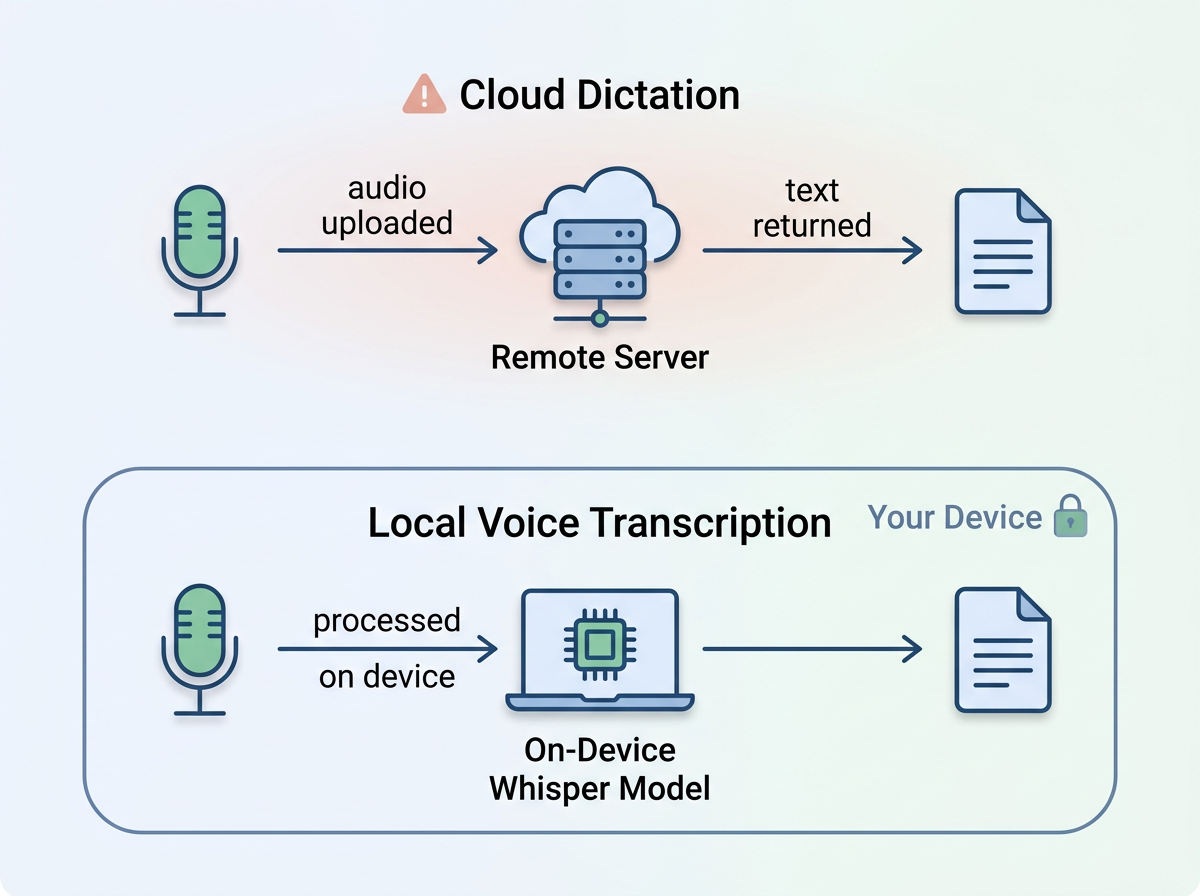
Local voice transcription keeps your audio on your own machine — it is never uploaded to a third-party server. That single architectural choice is the difference between dictation that's private by design and dictation that's private by policy (and policies change).
Here's the mechanic most people gloss over. Cloud dictation tools record your voice, send that audio to a remote server, transcribe it there, and send the text back. Whatever you say — a confidential email, a half-formed idea, a client's name, a medical note — travels off your device. On-device transcription using a model like OpenAI's Whisper does the work locally; the audio is processed on your processor and the text appears, with nothing transmitted. FluidVox's App Store listing states recordings stay on device and that the developer does not sell data, train models on your audio, or track usage.
For knowledge workers, this isn't paranoia — it's the baseline. Lawyers dictating around attorney-client privilege, clinicians touching anything HIPAA-adjacent, journalists protecting a source, founders working on anything that isn't public yet: streaming all of that speech to a vendor's server is a real exposure, even with a privacy mode toggle. And those toggles matter, because they're often off by default. The Write Interactive review of Wispr Flow notes its zero-retention Privacy Mode exists but isn't on out of the box, which means the default behavior is the less private one.
The industry isn't blind to this. Privacy is consistently cited as a top reason people abandon cloud dictation, and the same concern is driving large organizations to restrict cloud LLM use entirely. When the safe default is "the audio never leaves the laptop," you don't have to read a data-handling addendum to know where your voice went. You already know — nowhere.
That's also why a local tool that types straight into your apps is so appealing for sensitive workflows. Whether you're dictating into Gmail, Slack, or Apple Notes, the words land in the app without a round trip to someone else's data center. For people whose job is handling confidential material, that's not a feature. It's the whole point.
The industry has already pivoted on-device — cloud-only is now the outlier
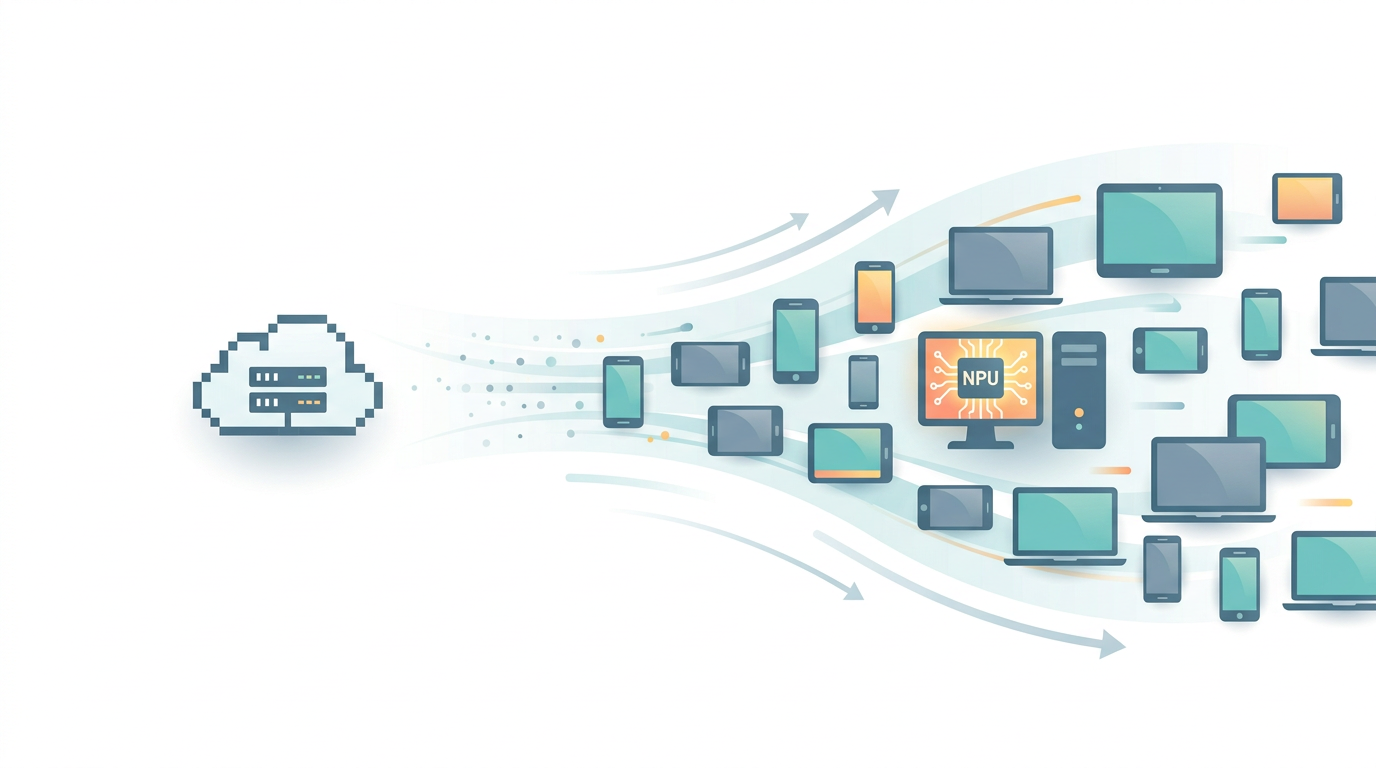
The biggest names in voice AI are moving on-device, which makes the cloud-only subscription model the one swimming against the current. The clearest signal came on March 31, 2026, when Speechify launched a native Windows app that does voice processing entirely on-device. According to TechCrunch, the app runs three models locally — neural text-to-speech, real-time voice activity detection, and Whisper for transcription — on Copilot+ PCs with NPUs from AMD, Intel, and Qualcomm, plus other Windows 11 machines with Intel and AMD GPUs.
TechCrunch framed the launch as Speechify "taking on the likes of Wispr Flow, Willow, and Superwhisper." Read that the right way: a major player chose local processing as its competitive edge against the cloud incumbents. You don't lead with on-device if on-device is the weaker product.
Superwhisper has been local-first on Mac for a while, and offers a $249.99 lifetime license alongside a monthly tier, per a FluidVox comparison. The open-source corner is even further along — Handy and similar tools run entirely on user hardware with no word caps. One developer wrote on Medium that he nearly paid for Wispr Flow, then built his own private dictation tool in parts of two days using Whisper plus a small local model for cleanup, running entirely on Apple Silicon with no cloud at all.
Notice what's missing from the on-device camp: a recurring bill. Speechify, Superwhisper, the open-source crowd, and one-time-license tools all point the same direction — transcription is becoming something your device does, not something you subscribe to. Wispr Flow's cloud-only stance, with no offline mode in most reviews, is increasingly the exception rather than the rule. When the market leaders and the hobbyists agree on the architecture, the subscription holdouts are the ones who have to explain themselves. If you're already on a Mac and weighing the built-in tool, the Apple Dictation alternative question runs along the same lines.
Local models are good enough now — and multilingual to boot
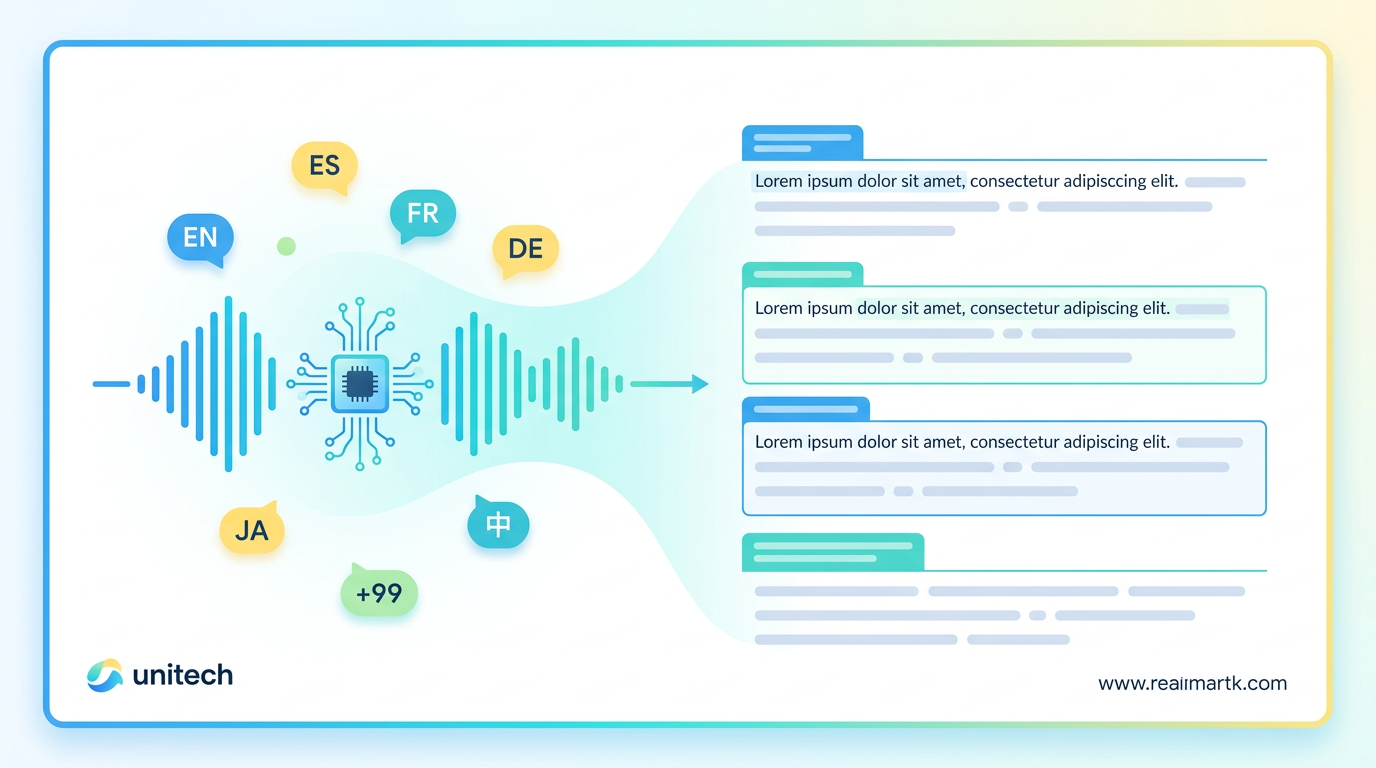
The unspoken fear about local transcription is that it must be worse than cloud — and in 2026, that's no longer true. Whisper-class models run comfortably on modern hardware and handle a wide range of languages. FluidVox's own materials cite support for up to 99 languages (its App Store listing is more conservative at 26, a discrepancy worth noting), and Whisper-based offline tools routinely advertise the same broad coverage. For the vast majority of everyday dictation — email, chat, notes, code comments — the local output is indistinguishable from cloud output to the person reading it.
There's a deeper point here that WIRED nailed. In its piece "Do You Actually Need to Pay for Transcription Software?", the publication explained that Wispr Flow's core promise "isn't just transcription — it's post-processing." The tool works in two steps: AI turns your voice into raw text, then a large language model removes filler words and formats everything into clean sentences and paragraphs. WIRED tested it and admitted the results were "pretty good."
But here's the thing the subscription pitch hopes you won't ask: that second step — the LLM cleanup — is now commodity. Small language models run on consumer hardware. The developer who built his own tool used a compact local model for exactly this cleanup, on a laptop, with no GPU required. FluidVox does the same kind of post-processing — filler word removal, punctuation, grammar, and spelling correction — and offers a bring-your-own-Gemini-key option so the language-model step can run on your own free API account. The polish that justified the monthly fee a year ago is something you can now get without paying anyone monthly.
This matters across real workflows. Whether you're a developer dictating into VS Code, a writer drafting in Google Docs, or a student capturing lecture notes, the combination of local transcription plus local or BYOK cleanup gets you cloud-quality text. The accuracy gap that subscriptions used to sell against has narrowed to the point where most people can't feel it — but everyone feels a recurring charge.
What a one-time license actually buys you
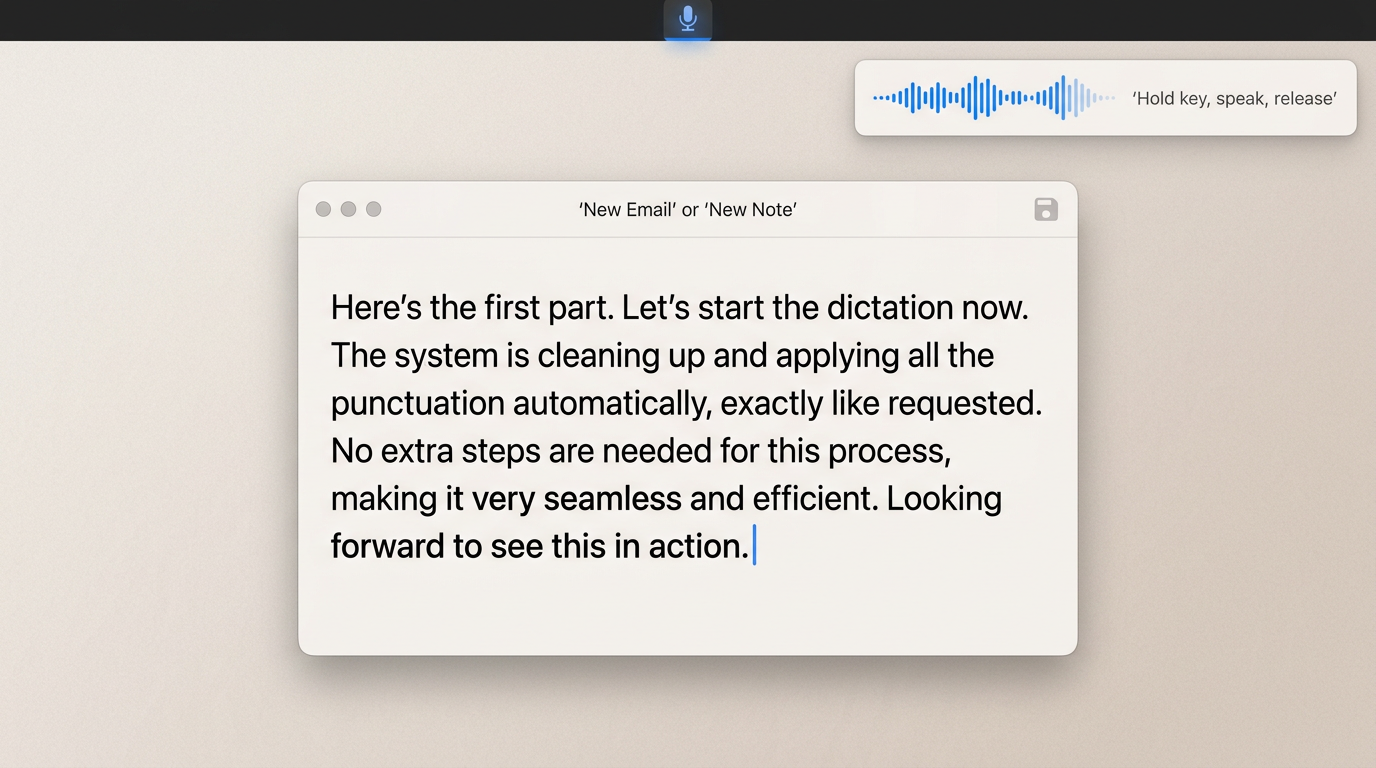
A one-time local license buys you private, offline dictation that types into any app — and no renewal date. FluidVox is a concrete example that this model exists today rather than as a someday-promise. Its $14.99 "Local Lifetime" purchase, per the App Store listing, processes audio locally with Whisper, keeps recordings on device, and works across iPhone, Mac, and Apple Vision (the listing requires iOS 18.0+ and the app is a slim 22.4 MB). There's also a free path for people who'd rather route the cleanup step through the cloud: bring your own Gemini API key and run on its free tier.
The day-to-day experience is the part that actually wins people over. You hold a hotkey, speak, release, and the cleaned-up text appears in whatever app is in front of you — no copy-paste, no separate window. It lives in the menu bar and works across email, chat, docs, and notes. Dictating into Notion, firing off a message in WhatsApp, or logging a ticket in Linear all use the same hold-to-talk flow, with the AI handling filler words, punctuation, and grammar on the way in.
I want to be fair about the messy bits, because honesty is the whole reason to trust a local-first pitch. FluidVox's own channels disagree on a few facts: the App Store lists 26 languages while the blog claims 99, and the website also surfaces a subscription starting at $2.99/month alongside the one-time license. The "never pay again" claim is fully accurate only for the local lifetime configuration or the bring-your-own-key route — it's a one-time $14.99 purchase, not literally $0 out of thin air. And there's a name collision worth flagging: an unrelated open-source app called "FluidVoice" exists and is a different product.
None of that changes the structural argument. Even at the conservative reading — 26 languages, $14.99 once — you get private, on-device dictation that types into every app for less than one month of the cloud subscription. Different professions can lean into it differently, whether you're shipping email fast as an executive, drafting code as a developer, or weighing it against tools like MacWhisper and Superwhisper. The point is that the cheaper, private, ownable option is on the shelf right now.
The objections
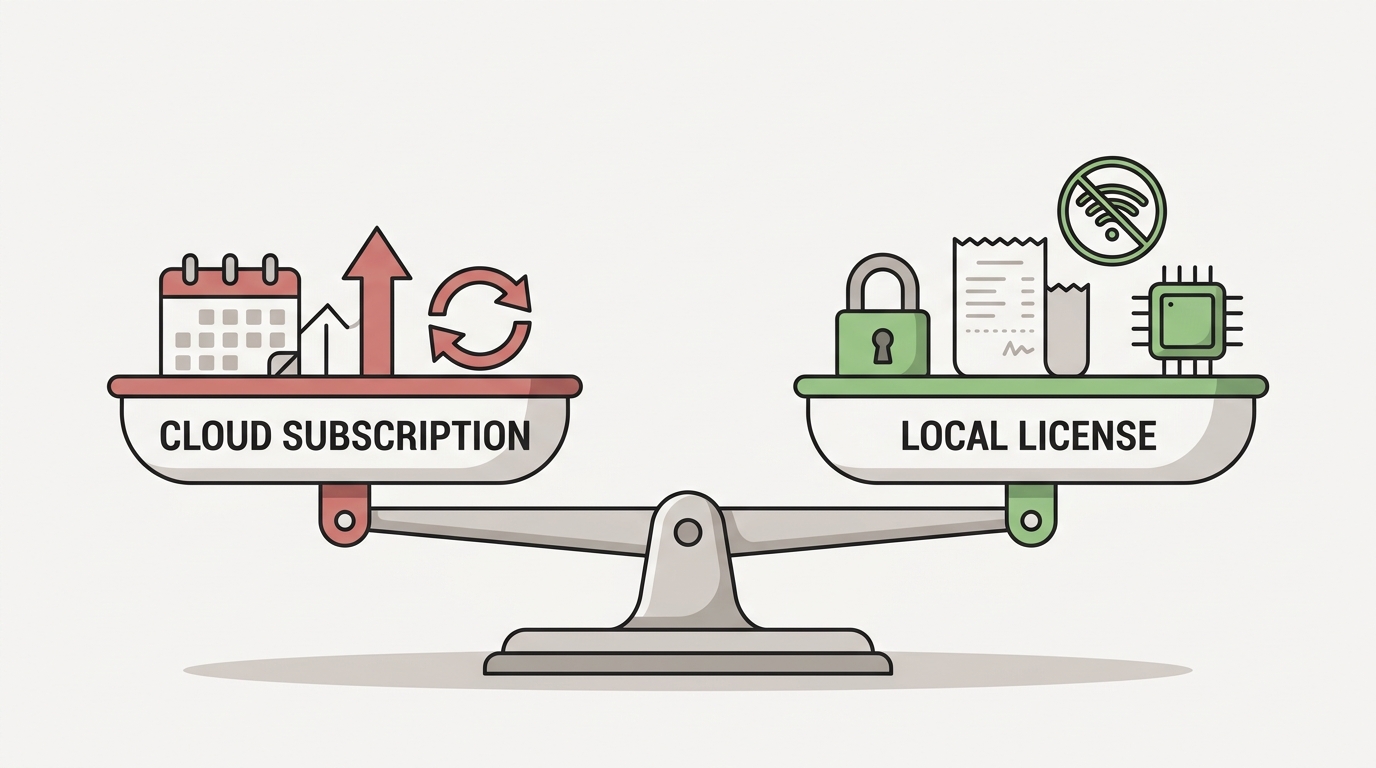
Let me steelman the case for subscriptions, because two objections come up every time and both deserve a straight answer.
"Cloud subscriptions get continuous model updates and the best possible accuracy, so you're paying for ongoing improvement." This is the strongest pro-subscription argument, and it's not wrong on the facts — cloud vendors do push updates and can chase the highest accuracy on the newest models. The problem is the value math. On-device Whisper models are already strong and can be updated too; new model versions ship and local apps adopt them. More to the point, most people never notice marginal accuracy gains in real dictation — the difference between 96% and 97% on a Slack message is invisible — but everyone notices a recurring charge, and everyone is exposed by streaming their voice to a server. Even WIRED, after praising the cloud post-processing, raised the question of whether you need to pay at all. Marginal accuracy that you can't feel is not worth $144–$960 over a few years when a one-time license keeps pace for the dictation you actually do.
"Local processing demands powerful hardware most people don't have." A few years ago this was a real constraint. In 2026 it mostly isn't. Modern Macs run Whisper-class models comfortably, and Speechify's Windows launch shows the same thing on Copilot+ PCs with AMD, Intel, and Qualcomm NPUs, plus Windows 11 machines with Intel and AMD GPUs, per TechCrunch. Lighter models exist for older hardware, and one developer ran the full pipeline — transcription plus LLM cleanup — on an Apple Silicon laptop with no discrete GPU. The honest version: if your machine is good enough to pay for a monthly dictation subscription, it's good enough to run dictation locally. And if it genuinely isn't, a tool like FluidVox still offers a free bring-your-own-key cloud fallback — so even the edge case doesn't force you back onto a subscription.
The objections aren't silly. They're just outdated. Both rest on assumptions from 2022, not the hardware and models sitting on your desk in 2026.
Stop renting what you can own
The real question was never "which dictation subscription should I buy." It's "why am I renting something my own device can do?" Once you see the subscription as rent on a capability you already own — your processor, your audio, your words — the monthly fee stops looking like the cost of quality and starts looking like a tax on not knowing there was a cheaper, more private way.
Local-first dictation is cheaper over any timeframe longer than a month, genuinely private because your voice never leaves the machine, and now technically on par with the cloud for the writing most people actually do. Tools like FluidVox prove the model exists today for a one-time $14.99 — and if local truly won't run on your setup, a bring-your-own-key option still keeps you off the subscription treadmill. If you're a cost-conscious, privacy-minded knowledge worker, the next time a dictation ad promises to make you write "4x faster," ask it the only question that matters: why does that cost me every single month? You can browse the full set of voice typing use cases and decide for yourself — but stop paying rent.