Comparison
Aqua Voice vs Wispr Flow: An Honest Comparison
Hold one key, speak, and clean text appears in whatever app you're using. Your transcript history stays on your computer.
Download FluidVox 14-day free trial, no credit card.
On this page
- Aqua Voice vs Wispr Flow at a glance
- Price and free plans
- Computers and phones
- Accuracy and languages
- Privacy and offline use
- Fixing and shaping what you said
- Meetings
- Where each one falls short
- Where FluidVox fits
- Dictate in any app with FluidVox
- Which should you use
- FAQ
- Sources
Aqua Voice (often just "Aqua") and Wispr Flow do the same job: you hold a key, talk, let go, and clean, punctuated text appears wherever your cursor is, in Slack, Gmail, Word or a code editor. Both run on Mac, Windows, iPhone and Android, both remove filler words, and both now take meeting notes without a bot joining the call. Where they differ is the price, what the free plan really gives you, how many languages they handle, and what each does beyond plain dictation. Below are both, side by side, from each company's own pages on 23 November 2026. If you've already decided against Wispr Flow, our page on FluidVox as a Wispr Flow alternative goes further, and our Willow vs Wispr Flow comparison covers another app people often weigh against it.
Aqua Voice vs Wispr Flow at a glance
| Aqua Voice | Wispr Flow | |
|---|---|---|
| Pro | $12 a month, or $10 a month billed yearly | $15 a month, or $144 a year ($12 a month) |
| Free plan | Your first 2,000 words, once, and your first 3 meetings | 2,000 words a week on Mac and Windows, then slower up to 5,000, plus a limited allowance on phones |
| Higher plan | Max: $24 a month, or $19 billed yearly, for unlimited meetings, Realtime Mode and voice commands | None for one person; Pro already lifts the word limit |
| Teams | Business: $24 a seat a month, or $19 billed yearly, from 2 seats | Growth: $23 a user a month, or $18 billed yearly ($33 or $26 with the Notetaker) |
| Computers and phones | Mac, Windows, iPhone and Android | Mac, Windows, iPhone and Android |
| Languages | 49, according to its Windows page | More than 100 |
| Works offline | Cloud dictation needs the internet | No, transcription needs the internet |
| Meetings | Notetaker on all four platforms | Notetaker on Mac, Windows and iPhone |
Price and free plans
Aqua Voice has four plans. Free gives you your first 2,000 words and your first 3 Notetaker meetings, with no credit card. Aqua's Windows page calls it a "test drive": 2,000 words is about 14 minutes of talking, and once you've used them, you upgrade to keep dictating. Pro removes the word limit for $12 a month, or $10 a month billed yearly, and adds custom instructions, a personal dictionary and 3 meetings a month. Max, at $24 a month or $19 billed yearly, adds unlimited meetings, Realtime Mode, voice commands and early access to new features. Business costs $24 a seat a month, or $19 billed yearly, with a minimum of 2 seats. Students get 70% off Pro and Max, which brings Pro down to $3 a month billed yearly.
Wispr Flow is free on all four platforms, with a weekly limit that resets: on Mac and Windows, its help center puts the allowance at 2,000 words a week, after which Flow slows down, with a hard stop at 5,000 words until the Sunday reset. Phones get a separate limited weekly allowance, pooled across iPhone and Android. Pro removes the limit for $15 a month, or $144 a year ($12 a month), and keeps more meetings for longer. Growth, for teams, is $23 a user a month or $18 billed yearly, and $33 or $26 with the Notetaker; Enterprise is priced on request. Students get 50% off Pro and educators 40%. Our guide to Wispr Flow's prices goes through every plan.
So for one person who dictates every day, Aqua is cheaper: $10 against $12 a month on a yearly plan, or $12 against $15 month to month. For someone who dictates a little, Wispr Flow's free plan goes much further, because its 2,000 words come back every week, while Aqua's are used once.
Computers and phones
Both run on Mac, Windows, iPhone and Android, and in both one account covers every device.
On a Mac, both start with Fn by default. On Windows, Aqua uses the right Alt key and Wispr Flow uses Ctrl + Win; both let you choose another shortcut. Aqua supports Windows 10 and 11. On an iPhone, each works as a keyboard you switch to in any app. On Android, Aqua puts a floating button next to the keyboard you already use, on Android 10 or later, and Wispr Flow uses a floating bubble.
Accuracy and languages
Aqua leads with accuracy. Its site cites Voice Arena's independent dictation benchmark from November 2026, which played the same recordings into 14 dictation apps on a Mac, in US English, and counted the drafts that needed no edits: Aqua Voice came first with 80.5%, just ahead of Wispr Flow with 79.3%. That's a gap of about one draft in a hundred, so on that test the two are close. Aqua also says its own model, Avalon, was trained on technical speech, so it writes names, code and commands that general models miss. Aqua's own FAQ adds that accuracy still depends on your voice, vocabulary, microphone and mode, so a test with your own voice is worth more than a benchmark.
Languages are a clearer difference. Wispr Flow works in more than 100 languages. Aqua's Windows page lists 49, and its FAQ names English, Spanish, French, German, Japanese, Mandarin and Arabic among them, with automatic language detection. If you dictate in a less common language, check Aqua's list first.
Privacy and offline use
Neither works fully offline. Aqua processes audio in the cloud, where its model runs, so it needs an internet connection; its FAQ adds that offline availability varies by platform, app version and mode, and to ask support about your setup. Turn on Privacy Mode and Aqua keeps none of your dictations on its servers, and Business adds Zero Data Retention, which uses only providers that don't keep data. Aqua says it has a SOC 2 Type II audit report and is ISO 27001 certified, GDPR and HIPAA compliant; for patient data you sign its business associate agreement in the app, which Max and Business include.
Wispr Flow also needs the internet: its help center says transcription requires a connection. It's SOC 2 Type II and ISO 27001 certified, lets you opt out of model training at any time, and lets you choose what history stays on your device. HIPAA-ready handling with a signed business associate agreement is available on Growth and Enterprise only.
So for health data, Aqua offers the agreement on Max, at $19 to $24 a month for one person, while Wispr Flow needs a team plan.
Fixing and shaping what you said
Both clean up as you go: filler words out, punctuation and formatting in. Wispr Flow also catches you correcting yourself mid-sentence. Beyond that, each has its own tools.
Aqua lets you fix text by voice: select any text, hold your key, and say what should change, such as "make this a list". Deep Context reads the names on your screen as you start talking, so they come out spelled the way they're written there. On Pro, custom instructions set rules for how your text should read, such as UK spelling. Max adds Realtime Mode, where you tap the key twice and the text appears live as you talk, hands-free. Aqua also has two extras on Mac and Windows: Aqua Pen, which pastes a screenshot of what you circle on screen after your words in apps that take images, and Aqua Pet, a pixel pet that reacts as you dictate.
Wispr Flow learns your words as you go: when you correct a spelling, it adds the word to your dictionary, which the free plan includes. Snippets turn a short spoken cue into a longer piece of text, such as a scheduling link. Styles shape your tone by where you write, formal in documents and casual in messages, but Wispr's features page says they're only available in English and on desktop. Flow also works when you whisper.
Meetings
Both now take meeting notes by listening on your device, so no bot joins the call.
Aqua's Notetaker runs on Mac, Windows, iPhone and Android. It gives you a transcript with each line labeled by speaker, and notes on request. Free includes your first 3 meetings, Pro 3 a month, and Max and Business unlimited.
Wispr Flow's Notetaker runs on Mac, Windows and iPhone, with Android on its roadmap. It identifies speakers and lets you ask questions about your meetings. The free plan includes it with a weekly meeting limit, and Pro keeps more meetings for longer.
Both let you use your meeting notes in Claude, ChatGPT and other AI tools through MCP.
Where each one falls short
Neither app is a bad choice, but each has a catch worth knowing before you pay:
- Aqua's free plan runs out. It's 2,000 words once, not every week, so it's a trial rather than a plan you can stay on.
- Aqua's Pro has few meetings. It includes 3 a month; unlimited meetings start at Max, $19 to $24 a month.
- Aqua handles fewer languages. Its Windows page lists 49, against Wispr Flow's 100+.
- Wispr Flow costs more. Pro is $15 a month, or $12 billed yearly, against Aqua's $12 or $10.
- Wispr Flow's Styles stop at English. Tone by app works only in English and only on desktop.
- Both lean on the cloud. They transcribe your voice in the cloud, and neither sells a one-time license.
Where FluidVox fits
FluidVox is a third option, built around the same hold-a-key idea, with an offline plan and a one-time price. These are the differences that decide it:
| Aqua Voice | Wispr Flow | FluidVox | |
|---|---|---|---|
| Lowest paid price | $10 a month billed yearly, or $12 monthly | $12 a month billed yearly, or $15 monthly | Local: $2.99 a month or $39 once. Pro, with AI clean-up: $10 a month, or $8 billed yearly |
| Try before you pay | 2,000 words, once | 2,000 words a week | 14-day free trial, no credit card |
| Offline | Cloud dictation needs the internet | No | Yes, on the Local plan |
| Tone per app | Formats for the app you're in; custom instructions on Pro | Styles by where you write, in English on desktop | On Pro, a style per app, such as casual in Slack and professional in Outlook |
| Languages | 49 | 100+ | 99 on the Local plan; 46 cloud languages on Pro |
| Computers and phones | Mac, Windows, iPhone and Android | Mac, Windows, iPhone and Android | Mac and Windows, plus an iPhone app with its own plans; Android coming soon |
Dictate in any app with FluidVox
FluidVox sits in your menu bar on a Mac and types wherever your cursor is, the same way Aqua Voice and Wispr Flow do.
- Download FluidVox and start the 14-day free trial. No credit card is needed.
- On a Mac, allow Microphone, Accessibility and Input Monitoring when setup asks. FluidVox needs them to hear you, type into other apps and notice your key. On Windows, check your dictation hotkey in FluidVox's settings.
- Click where you want the text, hold your hotkey (Fn on a Mac), speak, and let go.
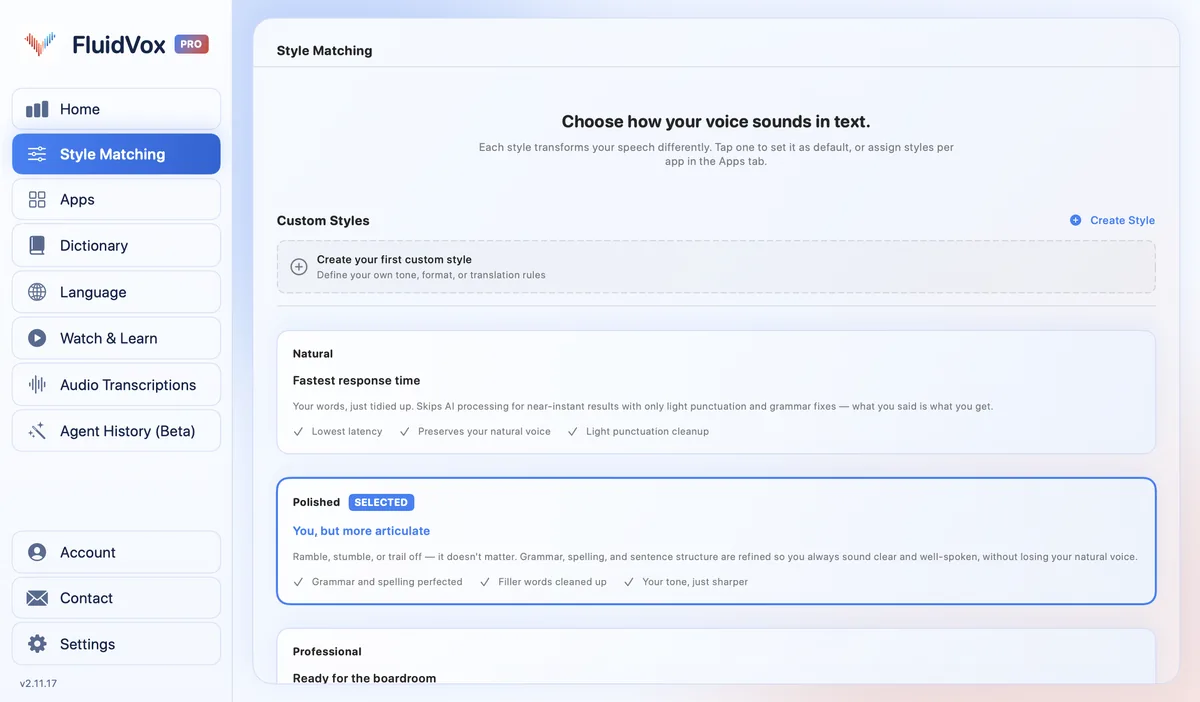
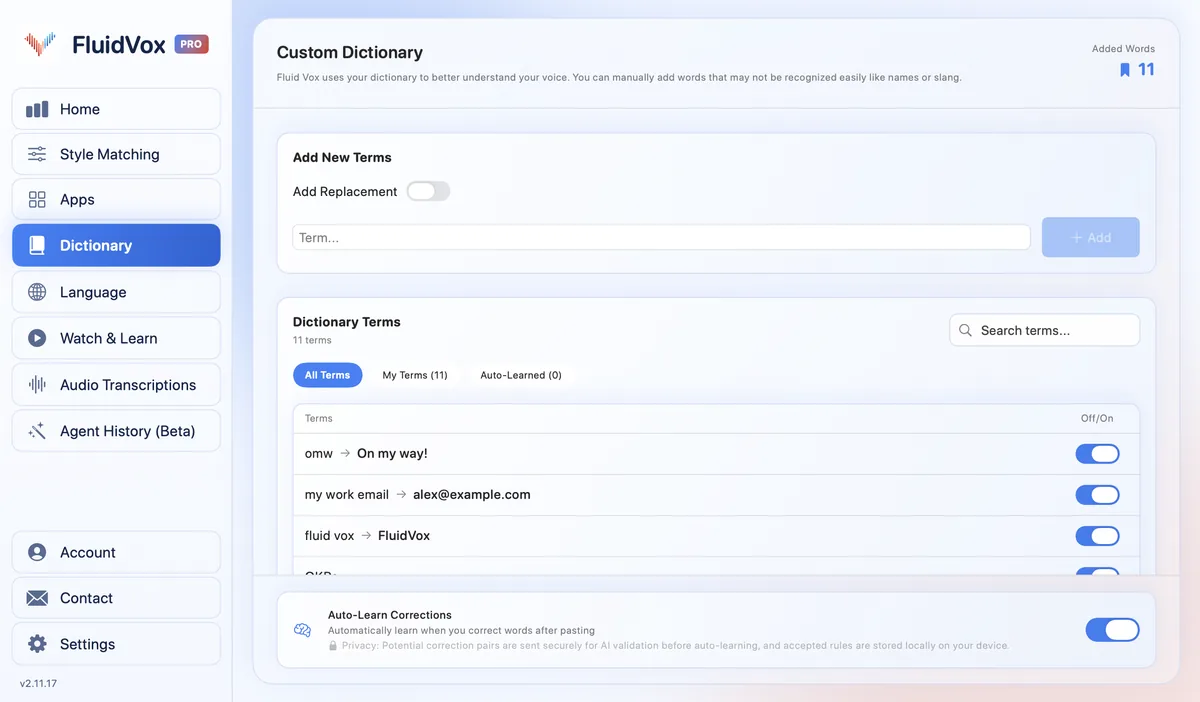
- On Pro, FluidVox removes filler words and fixes grammar, spelling and punctuation, and you choose a style for each app under Apps. Add names and terms to the Dictionary so they come out right.
On privacy: cloud transcription sends your audio to a speech service to turn it into text, and on the Local plan transcription runs on your computer, so your recordings don't leave it. Either way, your transcript history stays on your computer.
Which should you use
Pick Aqua Voice if you dictate every day and want the lower price: $10 a month billed yearly for unlimited words. It suits people who fix text by voice, write code or prompts, or want meeting notes on an Android phone, and its Max plan includes a business associate agreement for health data without a team plan.
Pick Wispr Flow if you dictate a little and want to stay free, since its 2,000 words come back every week, or if you dictate in a language outside Aqua's 49. Its Pro plan suits you if you want unlimited dictation and more meetings in one subscription.
Pick FluidVox if you'd rather pay less or pay once: offline dictation on the Local plan for $39 once, or AI clean-up with a style for each app on Pro for $10 a month, on Mac and Windows. You can try it free for 14 days.
FAQ
Is Aqua Voice better than Wispr Flow?
It depends on how you dictate. Aqua Voice is cheaper for daily use, came just ahead of Wispr Flow on Voice Arena's November 2026 benchmark, and lets you fix text by voice. Wispr Flow has a free plan that resets every week and works in more than 100 languages, against Aqua's 49.
Is Aqua Voice free?
Only to start. Aqua's free plan gives you your first 2,000 words and your first 3 meetings, with no credit card. After that, you need Pro at $12 a month, or $10 billed yearly, to keep dictating. Wispr Flow's free plan gives you 2,000 words every week.
Which is cheaper, Aqua Voice or Wispr Flow?
Aqua Voice. Its Pro plan is $12 a month, or $10 a month billed yearly, against Wispr Flow's $15, or $12 billed yearly. For teams, Aqua Business is $24 a seat a month and Wispr Flow Growth $23 a user. FluidVox's Local plan is $2.99 a month or $39 once.
Does Aqua Voice work offline?
Not as a rule. Aqua processes audio in the cloud, so its dictation needs an internet connection, and its FAQ says offline availability varies by platform and app version. Wispr Flow needs the internet too. FluidVox's Local plan transcribes on your computer and works offline.
Does Aqua Voice work on Windows?
Yes. Aqua Voice runs on Windows 10 and 11, where you hold the right Alt key to dictate, as well as on Mac, iPhone and Android. Wispr Flow also runs on Windows, where its default shortcut is Ctrl + Win.
Is Aqua Voice HIPAA compliant?
Aqua says it is: you sign its business associate agreement in the app before using patient data, and the Max and Business plans include it. Wispr Flow offers a signed business associate agreement on its Growth and Enterprise plans only.
Sources
- Aqua Voice, The Most Accurate Voice Dictation, home page, checked 23 November 2026.
- Aqua Voice, Pricing, checked 23 November 2026.
- Aqua Voice, Dictation Software for Windows PCs, checked 23 November 2026.
- Aqua Voice, FAQs, checked 23 November 2026.
- Wispr Flow, Pricing, checked 23 November 2026.
- Wispr Flow Help Center, Flow plans and what's included, checked 23 November 2026.
- Wispr Flow Help Center, What is Wispr Flow?, checked 23 November 2026.
- Wispr Flow, Features, checked 23 November 2026.
Hold one key, speak, and clean text appears in whatever app you're using. Your transcript history stays on your computer.
Download FluidVox 14-day free trial, no credit card.