Comparison
Willow vs Wispr Flow: An Honest Comparison
Hold one key, speak, and clean text appears in whatever app you're using. Your transcript history stays on your computer.
Download FluidVox 14-day free trial, no credit card.
On this page
- Willow vs Wispr Flow at a glance
- Price and free plans
- Computers and phones
- Offline use and privacy
- Clean-up, tone and your own words
- Writing from a rough idea, and meetings
- Where each one falls short
- Where FluidVox fits
- Dictate in any app with FluidVox
- Which should you use
- FAQ
- Sources
Willow (also called Willow Voice) and Wispr Flow work the same way on a computer: you hold a key, talk, let go, and cleaned-up text lands wherever your cursor is, from Slack to Gmail to a code editor. Both remove filler words, add punctuation, learn your names and offer 100+ languages. The differences are in the details: what the free plan really gives you, whether it works without the internet, which phones it runs on, and what each adds on top of dictation. Below are both, side by side, from each company's own pages on 22 November 2026. If you've already ruled Wispr Flow out, our page on FluidVox as a Wispr Flow alternative goes further, and our Superwhisper vs Wispr Flow comparison covers the other app people most often weigh against it.
Willow vs Wispr Flow at a glance
| Willow | Wispr Flow | |
|---|---|---|
| Pro | $15 a month, or $12 a month billed yearly | $15 a month, or $144 a year ($12 a month) |
| Free plan | No word cap, with its weaker model (Frontier Mini), and 20 Scribe uses a week | 2,000 words a week on Mac and Windows, then slower up to 5,000, and a separate limited allowance on phones |
| Teams | Business: $35 a month, or $28 billed yearly (Willow doesn't say whether that's per user) | Growth: $23 per user a month, or $18 billed yearly ($33 or $26 with the Notetaker) |
| Computers and phones | Mac, Windows and iPhone; Android has a waitlist | Mac, Windows, iPhone and Android |
| Works offline | Yes: an offline mode that runs on your device, on Pro | No, transcription needs the internet |
| Tone by app | Style presets for messages, work chat, email and notes | Styles by where you write, in English on desktop only |
| Meetings | Not on its pricing page | Notetaker on Mac, Windows and iPhone, with no bot joining the call |
Price and free plans
Willow has a free Basic plan and a Pro plan. Basic gives you unlimited dictation, but with what Willow's own pricing page calls its "weaker" speech model, Frontier Mini, plus limited personalization and 20 uses a week of Scribe, its writing assistant. Pro costs $15 a month, or $12 a month billed yearly, and moves you to Frontier Pro, Willow's most accurate model, with faster transcription, unlimited Scribe, a memory of your writing style and longer dictations (Willow's help center puts the limit at 8 minutes a recording on Pro, against 5 on the free plan). Business, at $35 a month or $28 billed yearly, adds an enforced privacy mode, SOC 2 Type II and HIPAA compliance and admin controls, and Enterprise is priced on request. Willow offers discounts on Pro for students, educators, non-profits and veterans.
Wispr Flow is free on all four platforms, with a weekly limit: on Mac and Windows, its help center says the allowance is 2,000 words a week, after which Flow slows down, with a hard stop at 5,000 words until the Sunday reset. Phones get a separate limited weekly allowance, pooled across iPhone and Android. Pro removes the limit for $15 a month, or $144 a year ($12 a month). Growth, for teams, is $23 per user a month or $18 billed yearly, and $33 or $26 with the Notetaker; Enterprise is priced on request. Students get 50% off Pro and educators 40%. Our guide to what each Wispr Flow plan costs goes through every plan in detail.
So for one person, Pro costs exactly the same in both. The free plans are what differ: Willow's has no weekly word cap but gives you its lesser model, while Wispr Flow's slows down after 2,000 words a week and stops at 5,000.
Computers and phones
Willow runs on Mac, Windows and iPhone, with one account across all three, and Android has a waitlist. Wispr Flow runs on Mac, Windows, iPhone and Android.
On a Mac, both start with Fn by default, and Wispr Flow uses Ctrl + Win on Windows; both let you change the shortcut. Willow lets you set up to four dictation hotkeys, and double-tapping yours starts hands-free mode. On an iPhone, each works as a keyboard you switch to in any app; on Android, Wispr Flow uses a floating bubble.
Offline use and privacy
This is where they differ most.
Willow lists an offline mode that dictates without an internet connection, "powered entirely by your device", and its help center includes offline dictation in Pro. When it does use the cloud, Willow says it doesn't store your audio after transcription, and its Privacy Mode, on by default, keeps nothing from your dictation sessions: no audio, no transcripts and no edits. Turn Privacy Mode off and Willow may use limited dictation data to improve the product. Willow says it's SOC 2 Type II certified, supports HIPAA with a business associate agreement, and runs on cloud servers in the United States.
Wispr Flow can't transcribe offline: its help center says transcription requires an internet connection. It's SOC 2 Type II and ISO 27001 certified, lets you opt out of model training at any time, and lets you choose what history stays on your device. HIPAA-ready handling with a signed business associate agreement is available on Growth and Enterprise only.
Clean-up, tone and your own words
Both clean up as you go: filler words out, punctuation in, lists formatted. Both learn names and jargon, both have a dictionary that picks up your corrections, and both have shortcuts (Wispr Flow calls them snippets) that expand a short spoken cue into a longer piece of text. Both also handle whispering.
The difference is tone. Willow has style presets for each kind of app: for casual messages (iMessage, WhatsApp, Discord), work chat (Slack, Google Chat), email (Gmail, Outlook, Apple Mail) and notes, with options from standard punctuation to all-lowercase. You pick one per context, and Willow applies it whenever you're in that app. Wispr Flow's Styles also shape your tone by where you write, formal in documents and casual in messages, but Wispr's features page says they're only available in English and on desktop.
Writing from a rough idea, and meetings
Each adds one thing the other doesn't.
Willow Scribe writes for you from what you mean rather than what you say word for word: you describe the reply or email you want in rough form, and Scribe writes it out in your style where your cursor is. The free plan includes 20 uses a week, and Pro is unlimited.
Wispr Flow's Notetaker takes notes from meetings on Mac, Windows and iPhone with no bot joining the call, identifies speakers, and lets you ask questions about your meetings. The free plan includes it with limits, and Pro keeps more meetings for longer. Willow's pricing page doesn't list meeting notes.
Where each one falls short
Neither app is a bad choice, but each has a catch worth knowing before you pay:
- Willow's free plan uses its weaker model. You never hit a word cap, but its own pricing page calls Frontier Mini the "weaker" model, so the free plan isn't the full Willow.
- Willow isn't on Android yet. If you switch between a computer and an Android phone, it can't follow you.
- Wispr Flow needs the internet. No connection means no dictation, and every word is sent online to be transcribed.
- Wispr Flow's free plan stops. After 2,000 words a week on a computer it slows down, and at 5,000 it stops until the weekly reset.
- Wispr Flow's Styles stop at English. Tone by app works only in English and only on desktop.
- Both are subscriptions. Neither sells a one-time license.
Where FluidVox fits
FluidVox is a third option, built around the same hold-a-key idea, with a cheaper offline plan and a one-time price. These are the differences that decide it:
| Willow | Wispr Flow | FluidVox | |
|---|---|---|---|
| Lowest paid price | $12 a month billed yearly | $12 a month billed yearly | Local: $2.99 a month or $39 once. Pro, with AI clean-up: $10 a month, or $8 billed yearly |
| Try before you pay | Free plan with its weaker model | Free plan with a weekly limit | 14-day free trial, no credit card |
| Offline | Yes, on Pro | No | Yes, on the Local plan |
| Tone per app | Style presets by kind of app | Styles by where you write, in English on desktop | On Pro, a style per app, such as casual in Slack and professional in Outlook |
| Your own words | Auto-learning dictionary and shortcuts | Dictionary and snippets | Personal dictionary that also learns your corrections |
| Computers and phones | Mac, Windows and iPhone | Mac, Windows, iPhone and Android | Mac and Windows, plus an iPhone app with its own plans; Android coming soon |
Dictate in any app with FluidVox
FluidVox sits in your menu bar on a Mac and types wherever your cursor is, the same way Willow and Wispr Flow do.
- Download FluidVox and start the 14-day free trial. No credit card is needed.
- On a Mac, allow Microphone, Accessibility and Input Monitoring when setup asks. FluidVox needs them to hear you, type into other apps and notice your key. On Windows, check your dictation hotkey in FluidVox's settings.
- Click where you want the text, hold your hotkey (Fn on a Mac), speak, and let go.
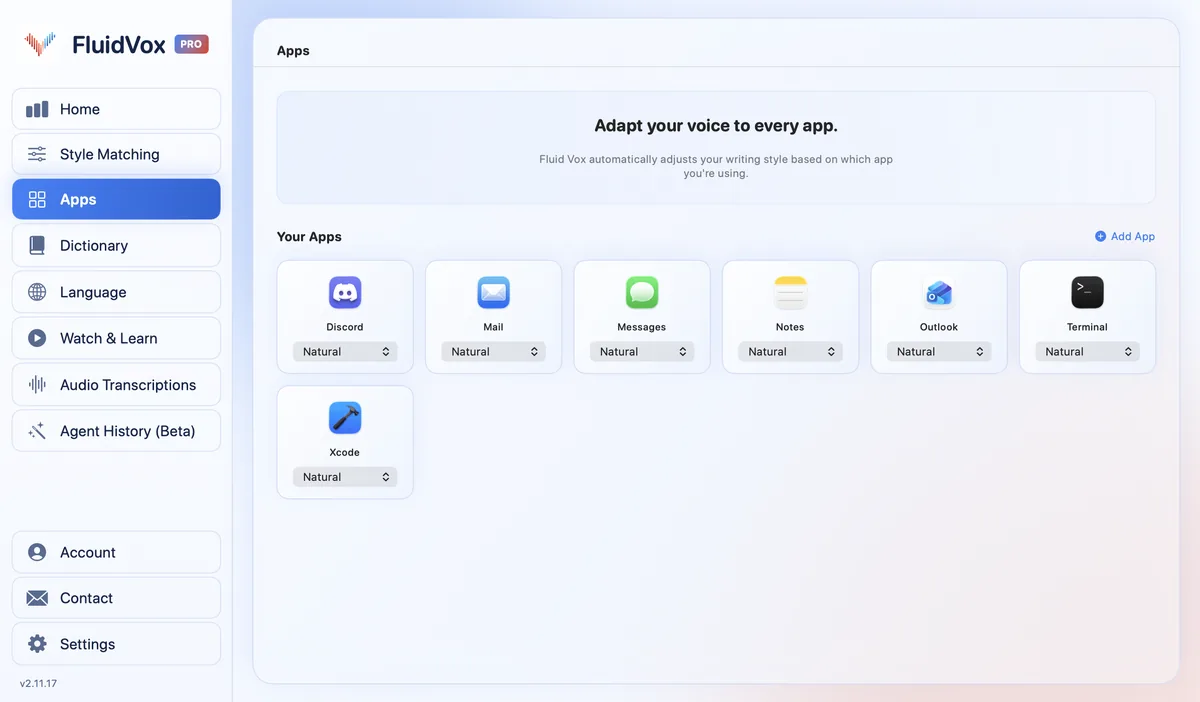
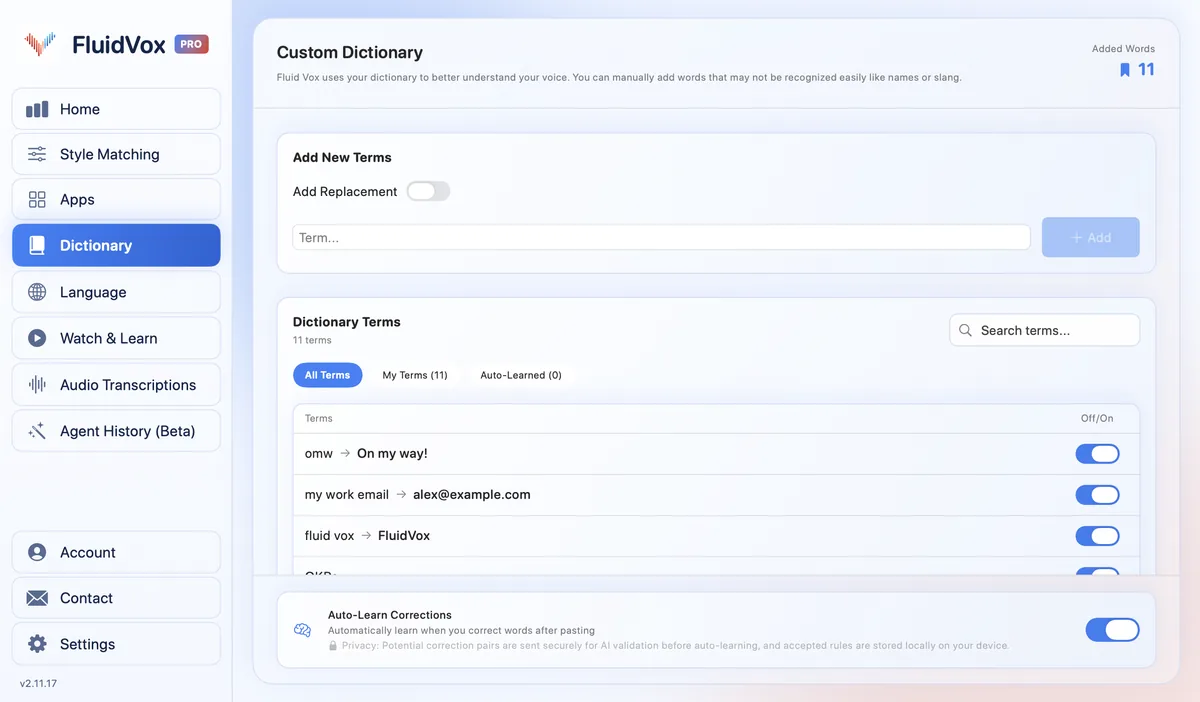
- On Pro, FluidVox removes filler words and fixes grammar, spelling and punctuation, and you choose a style for each app under Apps. Add names and terms to the Dictionary.
On privacy: cloud transcription sends your audio to a speech service to turn it into text, and on the Local plan transcription runs on your computer, so your recordings don't leave it. Either way, your transcript history stays on your computer.
Which should you use
Pick Willow if you want to dictate offline on the paid plan, like the idea of Scribe writing a reply from a rough description, or want a free plan with no weekly word cap, accepting that it uses Willow's weaker model. It suits you if you live on a Mac, a Windows PC and an iPhone.
Pick Wispr Flow if you use an Android phone, want meeting notes in the same app, or need ISO 27001 as well as SOC 2. Its free plan gives you 2,000 words a week at full speed, a fair test of whether it suits you.
Pick FluidVox if you'd rather pay less or pay once: offline dictation on the Local plan for $39 once, or AI clean-up with a style for each app on Pro for $10 a month, on Mac and Windows. You can try it free for 14 days.
FAQ
Is Willow better than Wispr Flow?
It depends on what you need. Willow is better if you want offline dictation, Scribe or a free plan with no word cap. Wispr Flow is better if you use Android or want meeting notes. Their Pro plans cost the same: $15 a month, or $12 a month billed yearly.
Is Willow Voice free?
Yes. Willow's free Basic plan has unlimited dictation with its weaker model, Frontier Mini, limited personalization and 20 Scribe uses a week. Pro, at $15 a month or $12 a month billed yearly, adds Willow's most accurate model, unlimited Scribe and longer dictations.
Does Willow work offline?
Yes. Willow lists an offline mode that dictates without an internet connection, running on your device, and its help center includes offline dictation in the Pro plan. Wispr Flow can't transcribe offline.
Does Willow work on Android?
Not yet. Willow runs on Mac, Windows and iPhone, and has a waitlist for Android. Wispr Flow already runs on Android, with a floating bubble you tap to dictate.
Which is cheaper, Willow or Wispr Flow?
For one person, neither: both charge $15 a month for Pro, or $12 a month billed yearly. For teams, Wispr Flow's Growth plan is $23 per user a month; Willow lists Business at $35 a month without saying whether that's per user. FluidVox's Local plan is $2.99 a month or $39 once.
Is Willow HIPAA compliant?
Willow says it supports HIPAA-regulated teams with business associate agreements, and its Business plan enforces HIPAA compliance. Wispr Flow signs a business associate agreement on its Growth and Enterprise plans only.
Sources
- Willow, AI Speech to Text Mac, Windows and iPhone Dictation Software, home page, checked 22 November 2026.
- Willow, Pricing, checked 22 November 2026.
- Willow, Security, checked 22 November 2026.
- Willow Voice Help Center, Willow Pricing Plans Overview, checked 22 November 2026.
- Willow Voice Help Center, Hotkey Settings, checked 22 November 2026.
- Willow Voice Help Center, Personalization and Style Matching, checked 22 November 2026.
- Wispr Flow, Pricing, checked 22 November 2026.
- Wispr Flow Help Center, Flow plans and what's included, checked 22 November 2026.
- Wispr Flow Help Center, What is Wispr Flow?, checked 22 November 2026.
- Wispr Flow, Features, checked 22 November 2026.
Hold one key, speak, and clean text appears in whatever app you're using. Your transcript history stays on your computer.
Download FluidVox 14-day free trial, no credit card.