Comparison
Superwhisper vs Wispr Flow: An Honest Comparison
Hold one key, speak, and clean text appears in whatever app you're using. Your transcript history stays on your computer.
Download FluidVox 14-day free trial, no credit card.
On this page
- Superwhisper vs Wispr Flow at a glance
- Price and free plans
- Computers and phones
- Offline use and privacy
- Clean-up, modes and your own words
- Meetings and recordings
- Where each one falls short
- Where FluidVox fits
- Dictate in any app with FluidVox
- Which should you use
- FAQ
- Sources
Superwhisper and Wispr Flow do the same basic job: you press a shortcut, talk, and the text lands in the app you're typing in, whether that's Slack, Gmail or a code editor. Where they differ is in how they get there. Superwhisper lets you pick the speech model, including ones that run on your own computer, and lets you shape the result with modes. Wispr Flow sends your voice to its servers and hands back finished text, with no models to choose. Below are both, side by side, from each company's own pages on 5 November 2026. If you've already ruled one out, our pages on FluidVox as a Superwhisper alternative and as a Wispr Flow alternative go further, and our FluidVox vs Wispr Flow comparison covers that pairing on its own.
Superwhisper vs Wispr Flow at a glance
| Superwhisper | Wispr Flow | |
|---|---|---|
| Paid plan | Pro: $8.49 a month, $84.99 a year or $249.99 once, with the same features | Pro: $15 a month, or $12 a month billed yearly |
| Free plan | Unlimited dictation with local Whisper models, up to two modes without AI, plus 3,000 words of Pro for new users | Dictation with a weekly word limit |
| Computers and phones | Mac, Windows, iPhone and Android | Mac, Windows, iPhone and Android |
| Works offline | Yes, with local models | No, transcription needs the internet |
| Languages | 100+ with its cloud model and the multilingual Whisper models | 100+ |
| Choice of model | Yes: cloud and local speech models, and the AI model that formats the text | No |
| Meetings | Meeting notes on the Mac, on Pro | Notetaker on Mac and Windows, limited on the free plan |
Price and free plans
Superwhisper has one paid plan, Pro, billed three ways: $8.49 a month, $84.99 a year or $249.99 once for a lifetime license. Superwhisper says all three billing options include the same features, and one license works on all your devices, with no limit on Macs and Windows PCs. There's a 30-day refund on every plan, and students, educators and non-profits get 40% off when they buy on superwhisper.com. App Store and Google Play purchases cost more because of the stores' fees.
Its free plan isn't a trial: you keep unlimited dictation with the local Whisper models, a custom vocabulary, text replacements and up to two modes without AI processing. New users also get 3,000 words of full Pro access, after which the app drops back to the free plan.
Wispr Flow is free to start on every platform, with a weekly word limit. Pro removes the limit for $15 a month, or $12 a month billed yearly. Growth, at $23 per person a month or $18 billed yearly, adds single sign-on and admin controls for teams, and Enterprise is priced on request. Students and educators with an education email get 50% off Pro. Wispr Flow's pricing page lists no lifetime option.
Superwhisper's lifetime license ($249.99) costs less than two years of Wispr Flow Pro billed yearly ($288). Over one year, Superwhisper's annual plan ($84.99) also costs less than Wispr Flow's ($144).
Computers and phones
Both run on Mac, Windows, iPhone and Android. Superwhisper needs macOS 14 or later, or Windows 10 or 11. On an iPhone it works as a keyboard, and on Android as a floating bubble. Superwhisper's own FAQ says Intel Macs work best with its cloud models, because the offline models only run really well on Apple silicon.
Wispr Flow starts with Fn on a Mac and Ctrl + Win on Windows by default, and you can change both. On an iPhone you switch to the Flow keyboard, and on Android you tap the Flow Bubble. Superwhisper's home page uses Option + Space to start dictating, and it has a push-to-talk mode: hold, speak, release.
Offline use and privacy
This is the biggest difference between the two.
Superwhisper can work with no connection at all. On the free plan you use the local Whisper models, and Superwhisper says nothing you dictate leaves your device. Pro adds two more local models, Cohere Transcribe and NVIDIA's Parakeet, plus cloud models from Superwhisper, Deepgram and ElevenLabs when you'd rather not use your computer's processor. You choose per mode, so you can keep one mode local for sensitive notes and another in the cloud for speed.
Wispr Flow can't transcribe offline: its help center says an internet connection is required for transcription. What it offers instead is compliance that matters to companies: it's SOC 2 Type II and ISO 27001 certified, offers HIPAA-ready dictation with a signed business associate agreement, and lets you opt out of model training. Its settings let you choose what history stays on your device.
Clean-up, modes and your own words
Wispr Flow aims to give you finished text without setup. It cleans up filler words, punctuation and spoken self-corrections, learns your names and jargon, and has a dictionary and snippets (short phrases that expand into longer text). Its Styles shape your tone by where you're writing, such as formal in documents and casual in messages, but only in English and only on a computer. On a computer, it inserts the text after you stop talking, rather than showing it word by word.
Superwhisper works through modes. Each mode pairs a speech model with an optional AI model that formats what you said: a message, an email, a note, or Super mode, which adapts to what's on your screen. On Pro you can write your own modes with your own instructions, pick the AI model behind them (Superwhisper lists models from OpenAI, Anthropic, Google, Meta and others), bring your own API keys, and translate any language into English. The free plan keeps a custom vocabulary and text replacements.
Meetings and recordings
Both now take meeting notes without a bot joining the call. Wispr Flow's Notetaker runs on Mac and Windows, identifies speakers, and answers questions about your meetings. The free plan has a weekly meeting limit, and Pro keeps more meetings for longer. Superwhisper's Meetings feature records, transcribes and summarizes meetings on your Mac, and it's part of Pro. Superwhisper Pro also transcribes audio and video files; Wispr Flow's pricing page doesn't list file transcription.
Where each one falls short
Neither app is a bad choice, but each has a catch worth knowing before you pay:
- Superwhisper asks you to choose. Models, modes and AI instructions give you control, but someone who wants to talk and get clean text has decisions to make first. The free plan's two modes can't use AI processing.
- Superwhisper's offline models want Apple silicon. On an Intel Mac, Superwhisper itself recommends the cloud models.
- Wispr Flow needs the internet. No connection means no dictation, and every word goes to its servers.
- Wispr Flow is a subscription. There's no one-time option, and the free plan stops at a weekly limit.
- Wispr Flow's Styles stop at English. The tone that changes with where you write works only in English and only on desktop, so it won't help if you dictate in another language or on your phone.
Where FluidVox fits
FluidVox is a third option: offline dictation on its Local plan, as with Superwhisper's local models, or AI clean-up with no setup on Pro, as with Wispr Flow. These are the differences that decide it:
| Superwhisper | Wispr Flow | FluidVox | |
|---|---|---|---|
| Lowest paid price | $8.49 a month, or $249.99 once | $12 a month billed yearly | Local: $2.99 a month or $39 once. Pro, with AI clean-up: $10 a month |
| Try before you pay | Free plan, plus 3,000 words of Pro | Free plan with a weekly limit | 14-day free trial, no credit card |
| Offline | Yes, with local models | No | Yes, on the Local plan |
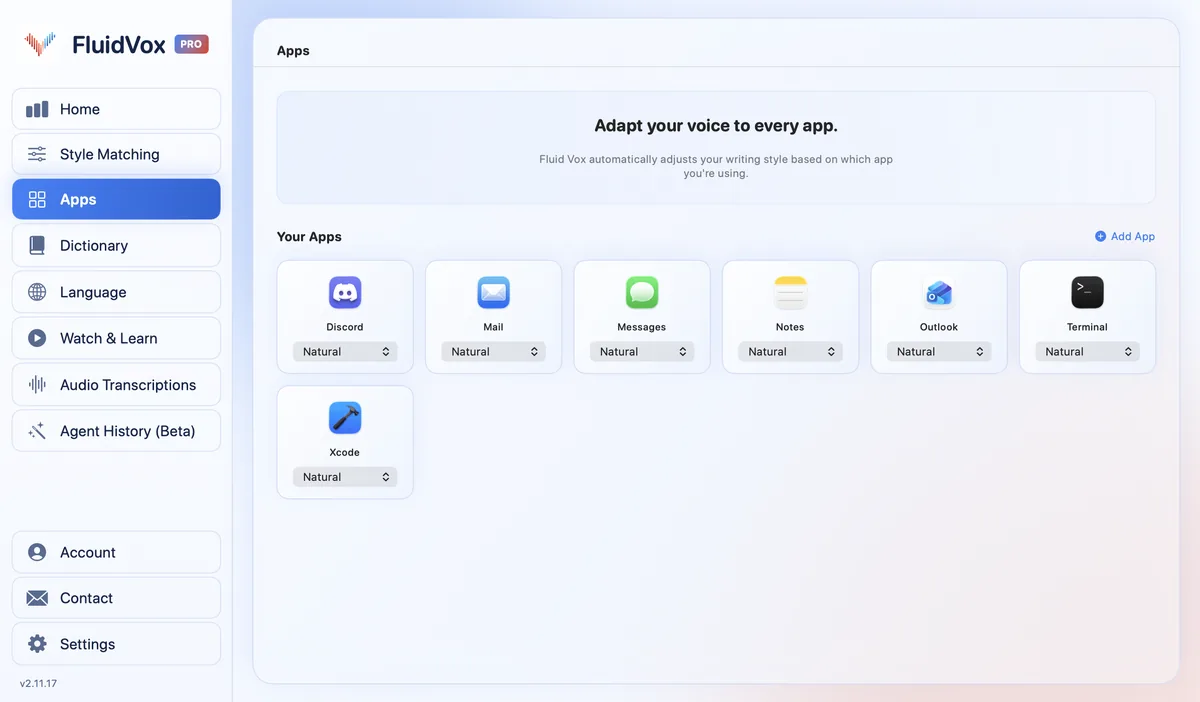
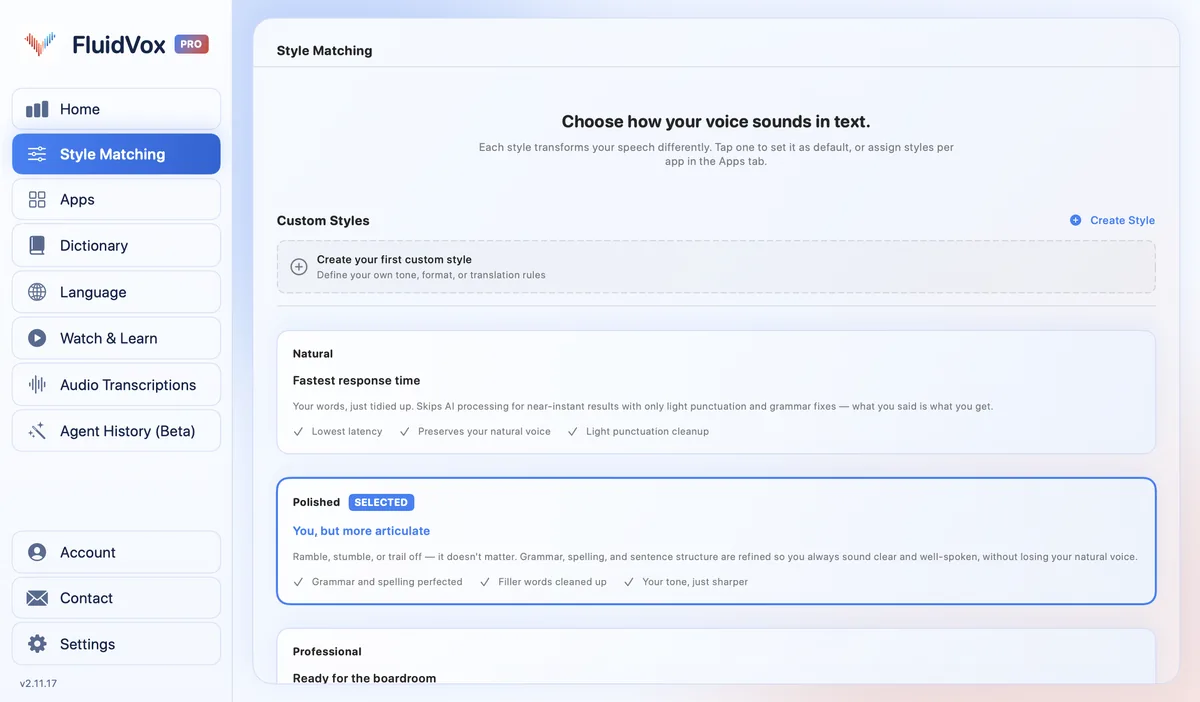
| Tone per app | Modes you set up, which can switch by app | Styles by where you write, in English on desktop | On Pro, a style per app, such as casual in Slack and professional in Outlook |
| Your own words | Custom vocabulary and replacements | Dictionary and snippets | Personal dictionary that also learns your corrections |
| Computers and phones | Mac, Windows, iPhone and Android | Mac, Windows, iPhone and Android | Mac and Windows, plus an iPhone app with its own plans; Android coming soon |
Dictate in any app with FluidVox
FluidVox sits in your menu bar on a Mac and types wherever your cursor is. There are no models or modes to set up before your first sentence.
- Download FluidVox and start the 14-day free trial. No credit card is needed.
- On a Mac, allow Microphone, Accessibility and Input Monitoring when setup asks. FluidVox needs them to hear you, type into other apps and notice your key. On Windows, check your dictation hotkey in FluidVox's settings.
- Click where you want the text, hold your hotkey (Fn on a Mac), speak, and let go.
- On Pro, FluidVox removes filler words and fixes grammar, spelling and punctuation, and you choose a style for each app under Apps. Add names and terms to the Dictionary.
On privacy: cloud transcription sends your audio to a speech service to turn it into text, and on the Local plan transcription runs on your computer, so your recordings don't leave it. Either way, your transcript history stays on your computer.
Which should you use
Pick Superwhisper if you want to dictate offline, like choosing your own models and writing your own AI instructions, or would rather pay once ($249.99) than every month. Its free plan is generous enough to live on if local Whisper models and two modes cover what you do.
Pick Wispr Flow if you want clean text with nothing to configure, don't mind that it needs the internet, and your company cares about SOC 2, ISO 27001 or a HIPAA agreement. Its free plan is enough to find out whether the weekly limit bothers you.
Pick FluidVox if you want either approach in one app: offline dictation on the Local plan for $39 once, or AI clean-up with a style for each app on Pro for $10 a month, on Mac and Windows. You can try it free for 14 days.
FAQ
Is Superwhisper better than Wispr Flow?
It depends on what you value. Superwhisper is better if you want offline dictation, a choice of models or a one-time price. Wispr Flow is better if you want polished text with no setup and don't need to work offline. Both run on Mac, Windows, iPhone and Android.
Does Wispr Flow work offline?
No. Wispr Flow's help center says an internet connection is required for transcription. Superwhisper and FluidVox's Local plan can both transcribe on your computer with no connection.
Is Superwhisper free?
Yes, it has a free plan with unlimited dictation using local Whisper models, a custom vocabulary and up to two modes without AI processing. Pro, which adds cloud models, AI modes, meetings and file transcription, costs $8.49 a month, $84.99 a year or $249.99 once.
Does Superwhisper work on Windows?
Yes. Superwhisper runs on Windows 10 and 11 as well as macOS 14 or later, and has apps for iPhone and Android. One Pro license covers all of them.
Which is cheaper, Superwhisper or Wispr Flow?
Superwhisper. Its Pro plan is $84.99 a year against $144 a year for Wispr Flow Pro billed yearly, and its $249.99 lifetime license costs less than two years of Wispr Flow Pro, even billed yearly ($288). Both have free plans.
Does Wispr Flow have a lifetime license?
No. Wispr Flow's pricing page lists Free, Pro, Growth and Enterprise, billed monthly or yearly. Superwhisper sells a lifetime license for $249.99, and FluidVox's Local plan is $39 once.
Sources
- Superwhisper, AI Voice to Text for macOS, Windows, iOS & Android, home page, checked 5 November 2026.
- Superwhisper Docs, Plans & Pricing, checked 5 November 2026.
- Superwhisper Docs, Voice models, checked 5 November 2026.
- Wispr Flow, Pricing, checked 5 November 2026.
- Wispr Flow Help Center, What is Wispr Flow?, checked 5 November 2026.
- Wispr Flow, Features, checked 5 November 2026.
Hold one key, speak, and clean text appears in whatever app you're using. Your transcript history stays on your computer.
Download FluidVox 14-day free trial, no credit card.