
Guide
What Is the Average Typing Speed? (And What Counts as Good)
Hold one key, speak, and clean text appears in whatever app you're using. Your transcript history stays on your computer.
Download FluidVox 14-day free trial, no credit card.
On this page
- The average typing speed in numbers
- What counts as a good typing speed
- Typing speed on a phone
- What fast typists do differently
- How to measure your own speed
- Typing compared with speaking
- What a typing test doesn't tell you
- Typing and speaking side by side
- Write at speaking speed with FluidVox
- Should you type faster or talk?
- FAQ
- Sources
Most people never measure their typing speed, so they guess, and the figures you find online vary a lot. The most useful answer comes from a very large typing study. In 2018, researchers led by Aalto University in Finland published their analysis of 136 million keystrokes from 168,960 people who took an online typing test. Below are the averages, what counts as good, how phones compare, and how speaking stacks up. If your real question is whether talking would get you there faster, start with our comparison of voice typing and typing on a keyboard, and if you want to try it today, here's how to dictate on a Mac or a Windows PC with what's already built in.
The average typing speed in numbers
In the Aalto study, people copied 15 English sentences in an online test, and their speed was measured in words per minute, where a "word" is any five characters, spaces included. That's the standard way typing tests count, so a long word counts as more than one.
- Average: 51.56 words per minute, with a wide spread (a standard deviation of 20.2).
- Errors left in the text: 1.17% of characters on average.
- Corrections along the way: people fixed 6.31% of what they typed as they went.
- Training helped a little: people who had taken a typing course averaged 54.35 words per minute, against 49.00 for those who hadn't.
The participants were mostly young (an average age of 24.5, with three in four aged 11 to 30), 52.7% were women, and they came from 218 countries, about two thirds of them from the United States. They chose to take a typing test, so they were probably more interested in typing than most people are. The researchers say so themselves, which is worth remembering when you compare yourself with the average.
What counts as a good typing speed
Here's where you'd land among the 168,960 people Aalto tested:
| Speed | Where that puts you |
|---|---|
| Under 26 words per minute | The slowest 10%, who averaged about 21 |
| About 52 words per minute | The average |
| Over 78 words per minute | The fastest 10%, who averaged about 90 |
| 120 words per minute or more | The very fastest typists in the study |
So a good typing speed is anything above the average of about 52, and above 78 you're faster than nine in ten of the people tested. Anna Feit, a co-author of both Aalto studies, said in 2019: "Most people achieve between 35-65 WPM." If you're in that range, you type like most people do.
Typing speed on a phone
In 2019 the same group published a study of more than 37,000 volunteers typing on smartphones. People who typed with two thumbs averaged 38 words per minute, about 25% slower than on a physical keyboard. The fastest reached 85 words per minute, and 74% of people typed with two thumbs. Younger people were quicker: those aged 10 to 19 typed about 10 words per minute faster than people in their 40s. Autocorrect helped people type faster, while word prediction didn't. If you mostly write on your phone, see how to dictate on an iPhone instead of thumb-typing.
What fast typists do differently
The Aalto data shows how the fastest people type, not just how fast:
- They use more fingers. Participants used 6.95 fingers on average, the fastest typists 8.4 and the slowest 5.3.
- They press the next key early. Fast typists often hit the next key before releasing the last one, which the researchers call rollover. It happened in 25% of keystrokes on average, and in 49.9% for the fastest.
A typing course made only a small difference: about 5 words per minute on average.
How to measure your own speed
You can check your speed without any special tool:
- Pick a passage you haven't seen before, such as a paragraph from a news article.
- Set a timer for one minute and type it as fast as you can while staying accurate.
- Count the characters you typed, spaces included, and divide by five. That's your words per minute.
- Repeat it two or three times and take the average, because the first try is usually the slowest.
Online typing tests do the same thing for you, and most report your accuracy too.
Typing compared with speaking
In a laboratory study published in 2017, a team led by Stanford University researchers had people enter short messages on an iPhone 6 Plus, by typing on the built-in keyboard or by speaking to Baidu's Deep Speech 2 speech recognizer. In English, speech was 2.93 times faster: 153 words per minute against 52 on the keyboard. In Mandarin Chinese it was 123 against 43.
Speech also needed fewer corrections along the way (5.30% against 11.22%), but left slightly more errors in the final text (1.30% against 0.79%). The authors call these upper-bound results: people copied set phrases in a quiet lab, and real-world numbers may differ. Even so, the gap is large.
What a typing test doesn't tell you
A words-per-minute score is a useful number, but it isn't how fast you write:
- Tests are copying. In the test you type sentences you can see. When you write an email, you also think about what to say, so your real speed is lower.
- Mistakes cost time. People in the Aalto study corrected over 6% of what they typed, and every fix slows you down.
- Phones are slower. At about 38 words per minute with two thumbs, a long message on a phone takes noticeably longer than on a keyboard.
- Speech has its own costs. You still read through what you dictated, and speaking out loud doesn't suit an open office or a quiet train.
Typing and speaking side by side
| Typing on a keyboard | Typing on a phone | Speaking | |
|---|---|---|---|
| Average speed | About 52 words per minute (Aalto, 168,960 people) | About 38 words per minute with two thumbs (Aalto, 37,000+ people) | 153 words per minute in a lab study on an iPhone, against 52 on its onscreen keyboard |
| Fastest people | 120 words per minute or more | Up to 85 words per minute | — |
| Errors left in the text | 1.17% of characters | — | 1.30% in the lab study, against 0.79% by keyboard |
| Best for | Short edits, code, quiet rooms | Short replies | Long emails, notes and first drafts |
Write at speaking speed with FluidVox
FluidVox puts speaking speed into the apps you already type in. It lives in the menu bar on a Mac and in the notification area on Windows, and types wherever your cursor is.
- Download FluidVox and start the 14-day free trial. No credit card is needed.
- On a Mac, allow Microphone, Accessibility and Input Monitoring when setup asks. On Windows, check your dictation hotkey in FluidVox's settings.
- Click where you want the text, hold your dictation key (Fn on a Mac), speak, and let go. Clean text appears at your cursor.
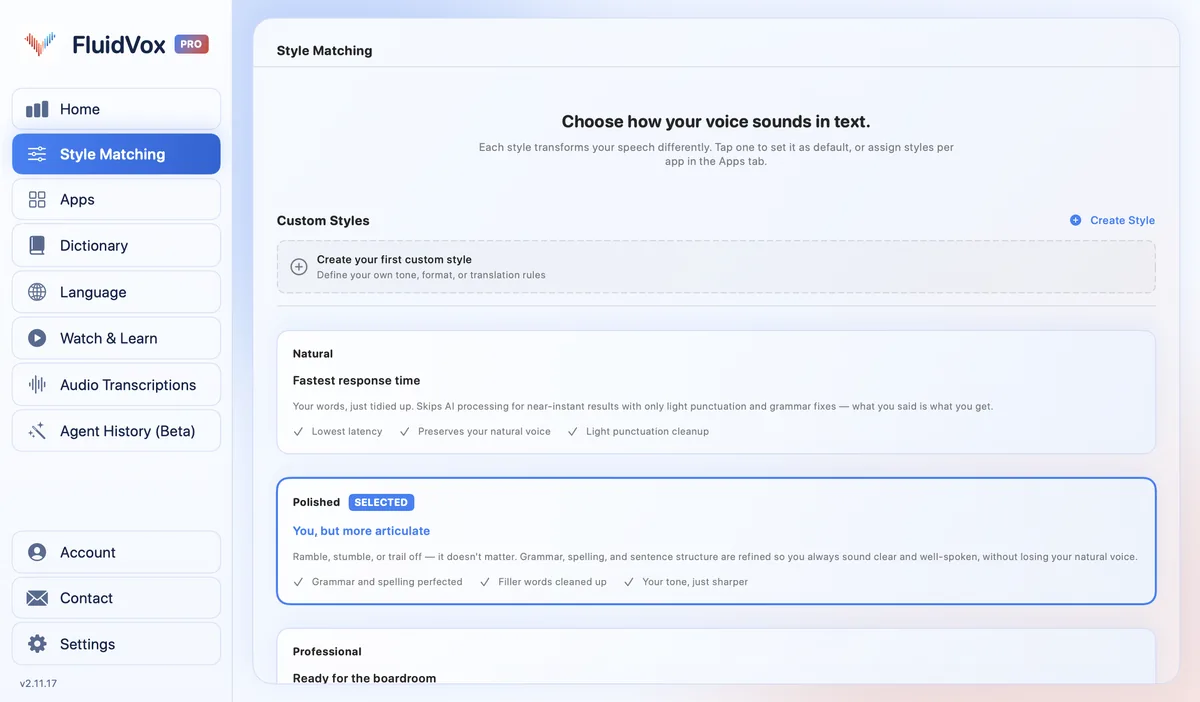
- On Pro, FluidVox removes filler words and fixes grammar, spelling and punctuation, so you edit less afterwards. Add names and terms you use to the Dictionary.
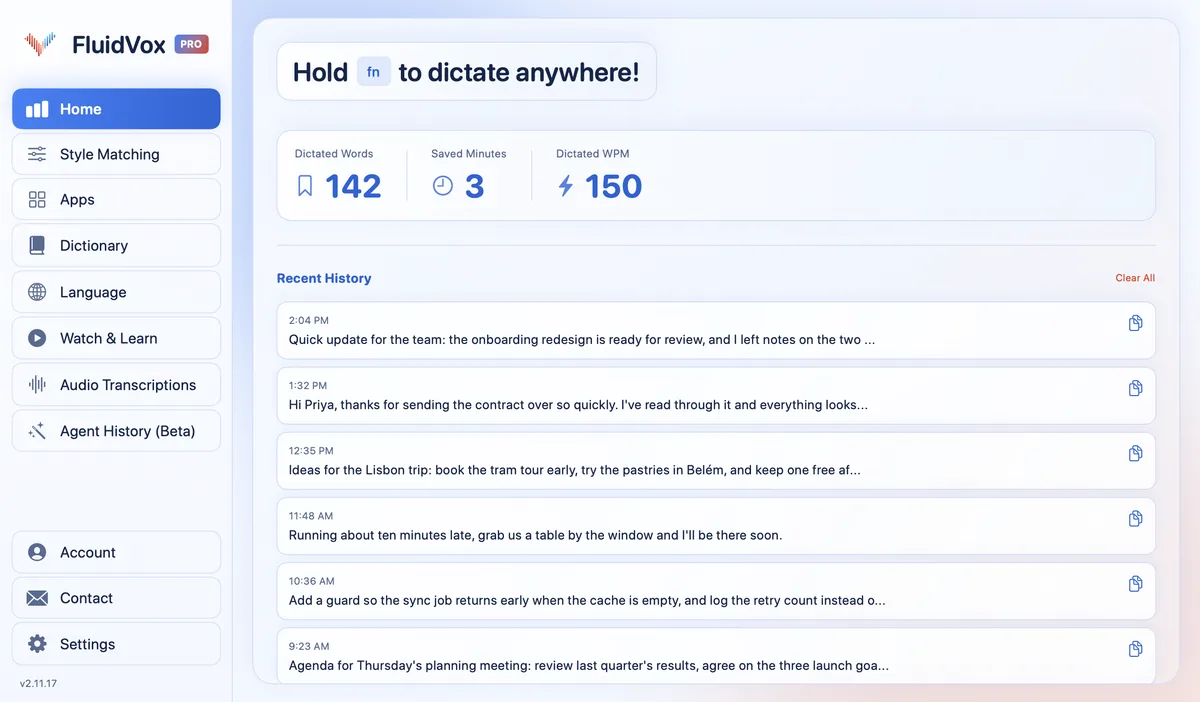
FluidVox's home screen counts your dictated words, the minutes you've saved and your dictated words per minute, so you can compare your talking speed with your typing test.
On privacy: cloud transcription sends your audio to a speech service to turn it into text, and on the Local plan transcription runs on your computer instead. Either way, your transcript history stays on your computer.
Should you type faster or talk?
If you type around the average of 52 words per minute and mostly write short messages, typing is fine. Don't expect a course to change much: in the Aalto study, people who'd taken one averaged only about 5 words per minute more, and using more fingers is what sets fast typists apart.
If you write long emails, reports or notes every day, talking gets you further than practice will. Speaking ran nearly three times faster than typing in the lab study, and with FluidVox the text comes out clean in whatever app you're using. Try it for 14 days; your keyboard stays right where it is for the edits.
FAQ
What is the average typing speed?
About 52 words per minute on a computer keyboard. Aalto University measured 51.56 words per minute on average across 168,960 people who took an online typing test, counting every five characters as one word.
What is a good typing speed?
Anything above the average of about 52 words per minute is good. Above 78 words per minute you're faster than 90% of the people in the Aalto study, and the fastest typists reached 120 words per minute or more.
What is the average typing speed for adults?
About 52 words per minute is the best figure there is, though the Aalto study didn't report adults separately: its participants averaged 51.56 with an average age of 24.5, and three in four were aged 11 to 30. One of its authors says most people type between 35 and 65 words per minute.
How fast do people type on a phone?
About 38 words per minute with two thumbs, according to Aalto's study of more than 37,000 smartphone users. That's about 25% slower than on a physical keyboard. The fastest reached 85 words per minute.
Is talking faster than typing?
Yes, by a wide margin in a lab setting. A study led by Stanford University researchers found English speech input was 2.93 times faster than typing on an iPhone keyboard: 153 against 52 words per minute.
Sources
- Aalto University, How do people type on keyboards? (136M Keystrokes), checked 3 November 2026.
- Dhakal, Feit, Kristensson and Oulasvirta, Observations on Typing from 136 Million Keystrokes, CHI 2018, checked 3 November 2026.
- Finnish Center for Artificial Intelligence, Smartphone typing speeds catching up with keyboards, 2 October 2019, checked 3 November 2026.
- Ruan, Wobbrock, Liou, Ng and Landay, Comparing Speech and Keyboard Text Entry for Short Messages in Two Languages on Touchscreen Phones, IMWUT 2017, checked 3 November 2026.
Hold one key, speak, and clean text appears in whatever app you're using. Your transcript history stays on your computer.
Download FluidVox 14-day free trial, no credit card.